Start with a local install, connect payments and external services, deploy on your own infrastructure, and keep the platform updated. Beginner guides include the clicks on each provider's dashboard, not just the environment variables.
27 guides6 tracksENsource
Start here8 min read
Platform overview
FastRestful is a production-oriented API product platform. It combines a public marketplace, versioned API releases, a metered gateway, subscriptions and billing, documentation, a consumer console, a vendor studio, and a staff control plane in one Django + frontend system.
FastRestful is not a single API. It is the product infrastructure around APIs: the storefront, the contract boundary, the request path, the money, the content, and the operations. A team can run one API or a multi-vendor marketplace from the same installation.
The platform starts in single-vendor mode. Only the organization marked as the platform vendor can publish public APIs. A superuser can enable multi-vendor mode in Site settings, after which any organization with an approved vendor profile can publish.
Single-vendor: one curated API business, one platform vendor, simpler governance.
Multi-vendor: RapidAPI-style marketplace where independent vendors list, price, and support their own APIs.
The switch is enforced at the model layer, so API, admin, and vendor studio agree.
Vendor onboarding, profile review, and separation of duties remain active in both modes.
Tenant isolation is server-side. The active workspace is explicit, object permissions are rechecked, and public serializers are separate from private ones.
Releases are immutable. A live contract cannot be edited in place; cut a new version and promote it.
Provider truth wins. Checkout creation never grants entitlement; signed provider webhooks settle money state.
Keys are secrets. Raw API keys are shown once, hashed for lookup, and encrypted for server-side gateway use.
Operations leave evidence. Audit events, webhook receipts, request logs, and moderation decisions are append-only where it matters.
One design system. Signal Grid tokens, semantic surfaces, monospace metadata, and accessible states across every surface.
Where to go next
Choose the path that matches what you are doing. You do not need to read the whole documentation set in order.
A complete first install for someone who has never run a Django or Node application. Follow the steps in order. Every step ends with a check so you know it worked before moving on.
Before you start
You do not need Docker, Redis, cloud storage, or a payment account for the local demo. SQLite and an in-memory cache keep the first run simple.
You need
Why
How to check
Python 3.11
Runs the Django backend.
python3.11 --version
Node.js 22.13+
Runs the frontend and its build tools.
node --version
Git
Downloads the source code.
git --version
Two terminal windows
One runs the backend, one runs the frontend.
Open Terminal twice.
Keep both servers running. The backend and frontend are separate processes. Closing a terminal stops that process. Use Ctrl+C in a terminal to stop a server when you are done.
1. Check your tools
Run these commands in your terminal. If one is missing, install it first and reopen the terminal.
You should see Python 3.11, Node 22.13 or newer, and an npm version. If python3.11 is not found, install Python 3.11 from python.org. If Node is older than 22.13, install the current LTS release from nodejs.org.
Windows: use py -3.11 wherever this guide says python3.11, and activate the environment with .venv\Scripts\Activate.ps1.
2. Download the code
shell
git clone <your-fastrestful-repository> fastrestful
cd fastrestful
npm ci
npm ci installs the exact frontend dependency versions from the lock file. It can take a few minutes. You should end with a node_modules folder and no error message.
3. Create the backend environment
A virtual environment keeps FastRestful's Python packages separate from the rest of your computer.
On Windows PowerShell, activate with .venv\Scripts\Activate.ps1 instead of source .venv/bin/activate. When the environment is active, your prompt usually starts with (.venv).
Checkpoint: run python3.11 -m django --version. It should print a Django 5.x version. If it fails, the virtual environment is not active or the install did not finish.
4. Create the backend configuration file
Copy the example file, then generate two secrets and paste them into backend/.env.
Paste the first output into FIELD_ENCRYPTION_KEY=. This encrypts API keys and provider secrets.
Paste the second output into DJANGO_SECRET_KEY=.
Leave DJANGO_DEBUG=True, DATABASE_URL=sqlite:///db.sqlite3, and FRONTEND_URL=http://localhost:5055 for local development.
Never commit .env. It contains secrets. The repository already ignores it. If you change the frontend port later, update FRONTEND_URL, CORS_ALLOWED_ORIGINS, and CSRF_TRUSTED_ORIGINS to match.
5. Create the database and demo data
Make sure the virtual environment is still active and you are inside backend/.
migrate creates the database tables. The seed commands create a demo marketplace, API products, documentation content, and community profiles. This creates a local backend/db.sqlite3 file.
Local-only credentials.seed_demo creates superuser admin / Admin12345!. The engagement seed creates builder profiles with password Demo12345!. Never reuse these credentials in production.
6. Start the backend
terminal 1
# inside backend/, with the virtual environment active
python3.11 manage.py runserver 127.0.0.1:5056
Leave this terminal open. The backend is ready when it prints Starting development server at http://127.0.0.1:5056/. Check it in another terminal with:
check backend
curl http://127.0.0.1:5056/api/health/live
7. Start the frontend
Open the second terminal and go back to the repository root. The backend must stay running in terminal 1.
terminal 2
cd /path/to/fastrestful
npm run dev -- --port 5055 --host 127.0.0.1
The Vite dev server proxies Django routes (/api/v1, /api/health, /api/schema, /api/docs, /admin, /static, /media) to the backend on port 5056. Public product pages such as /api/{slug} are still served by the frontend.
8. Open the app and sign in
Open these addresses in your browser:
Page
Address
What it is
Public site
http://127.0.0.1:5055
Marketplace and marketing site.
Control plane
http://127.0.0.1:5055/admin/
Django admin and FastRestful operations.
API docs
http://127.0.0.1:5056/api/docs/
Swagger UI for the platform API.
Health check
http://127.0.0.1:5056/api/health/ready
Readiness for deployment checks.
Sign in to the control plane with admin / Admin12345!.
First-run checklist
The public site loads and the marketplace catalog is visible.
The control plane opens and you can sign in as admin.
Site settings, Platform plans, and the site content section open without errors.
A consumer account can create an application and an API key.
A request through the gateway appears in request logs.
Use Deployment before putting the app on a public server.
Common installation problems
Symptom
Likely cause
Fix
python3.11: command not found
Python 3.11 is not installed or not on your PATH.
Install Python 3.11, reopen the terminal, and run the check again.
npm ci fails with an engine error
Node.js is older than 22.13.
Install Node 22.13+ and run npm ci again.
ModuleNotFoundError: django
The virtual environment is not active.
Run source .venv/bin/activate inside backend/.
FIELD_ENCRYPTION_KEY error
The key is missing or was not pasted correctly.
Generate a new Fernet key and paste the full value with no quotes.
Port 5055 or 5056 is already in use
Another process is using the port.
Stop the other process, or choose new ports and update FRONTEND_URL, CORS, and CSRF values.
Page loads but API calls fail
The backend is not running.
Start terminal 1 with runserver and confirm the health URL.
Admin login is rejected
The demo seed was not run or a different database is in use.
Run seed_demo, or create your own account with python3.11 manage.py createsuperuser.
Local reset. If you want to start over on your local machine only, stop the backend, delete backend/db.sqlite3, then rerun migrate and the seed commands. Never delete a production database.
Start here8 min read
Quickstart: your first gateway request
Go from a clean local install to a metered API call. You will subscribe to a demo API, create a key, send a request, and see the usage event and request log.
Before you begin: finish Installation and keep both terminals running. The backend must be on 127.0.0.1:5056 and the frontend on 127.0.0.1:5055.
1. Sign in and choose a workspace
Open http://127.0.0.1:5055 and sign in with admin / Admin12345!, or register a new account. A workspace (organization) groups your applications, keys, subscriptions, and invoices.
The active workspace travels in the X-Organization header for API calls. The browser console sets it automatically. When you call the API yourself, you must include it unless the request uses an API key instead of a browser session.
2. Subscribe to a product
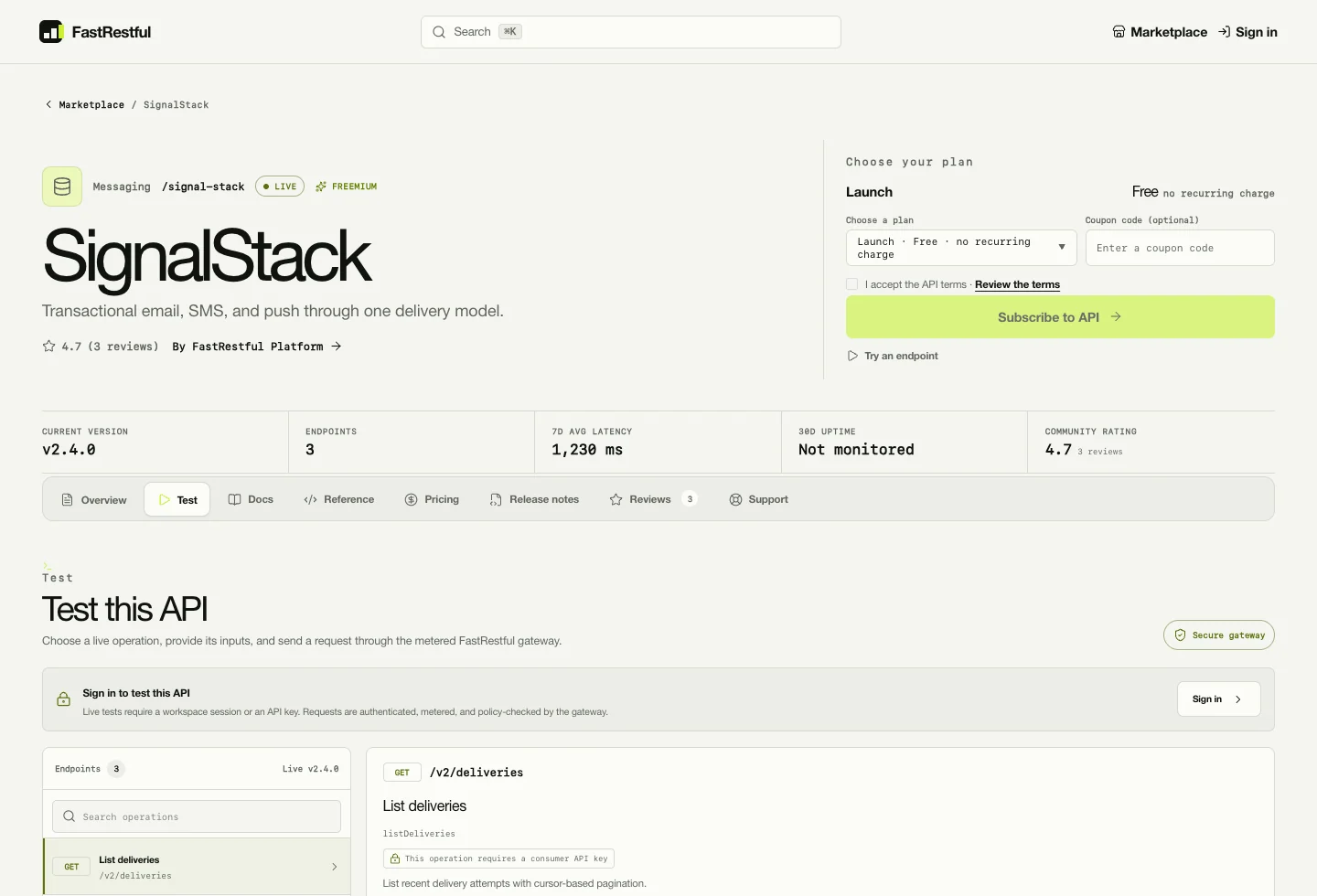
Open the marketplace, choose a product with a live release, and select a plan. The seeded SignalStack product has a live 2.4.0 release and three plans.
If the plan is free, activation is immediate. If the plan is paid, FastRestful opens the configured payment provider. A browser redirect never grants access by itself: the subscription activates only after a signed provider webhook settles the first invoice.
No payment provider yet? Use a free plan for your first request. To sell paid plans, follow Payment gateways, step by step first.
3. Create an application and key
In the consumer console, create an application and then issue an API key. The raw key is shown once, so copy it immediately into a password manager or a local .env file.
raw key shape
fr_live_<random-secret>

# Store it in a secret manager or local .env file.
# Never commit it to a repository or paste it into a public issue.
Scopes are full, execute, or read. Choose the narrowest scope that works. If you lose the key, revoke it and issue a new one; the old key stops working immediately.
4. Send a request through the gateway
Replace fr_live_… with the key you just created. This example uses the seeded SignalStack product and its path alias.
With product host routing enabled, the same request uses https://{product-slug}.{FASTRESTFUL_API_HOST_SUFFIX}/.... Both front doors share the same subscription, quota, rate limit, idempotency, metering, and request-log pipeline.
The public API page keeps the tester, endpoint contract, and request context in one tab.
5. Inspect the result
Usage event: recorded server-side with status and latency.
Monthly counter: incremented for quota enforcement and overage.
Request log: redacted request and response previews visible to the consumer and vendor.
Dashboard: requests, success rate, spend, latency, top APIs, and recent activity.
Open the consumer dashboard and the request log. You should see the request you just made. If you do not, check the terminal running the backend for a traceback.
6. Publish a release (optional)
In the vendor studio, open a product workbench, import an OpenAPI contract into a draft version, reconcile endpoint docs, run the diff, submit for review, and promote. A live release requires a supported, non-empty OpenAPI contract and an exactly matching endpoint catalog.
Copy the full key again. Do not include quotes or a trailing space.
403
The subscription is inactive or the key scope is too narrow.
Confirm the plan is active and the key has execute or full scope.
404
The method and path do not match the live release.
Check the endpoint in the API page and confirm the release is live.
429
The plan quota or rate limit was exceeded.
Read retry_after and wait, or use a larger plan.
CORS or CSRF error in a browser
The browser origin is not trusted.
Add the frontend origin to CORS_ALLOWED_ORIGINS and CSRF_TRUSTED_ORIGINS. Gateway calls using X-API-Key do not use browser cookies.
Start here14 min read
Configuration, without the overwhelm
Most installations only need a small set of settings to run. Start with the minimum below, then add the integrations you actually use. The long tables further down are reference, not a checklist.
Do not use SQLite in production. When DJANGO_DEBUG=False, FastRestful requires PostgreSQL and a shared Redis URL. See Deployment for the full sequence.
How to change settings safely
Change one integration at a time.
Configure, test, and verify before moving to the next provider. This makes failures obvious.
Edit backend/.env on the server.
Do not edit files inside a running container that will be replaced. Keep secrets in your deployment platform's secret store when possible.
Restart the backend and workers.
Environment changes are read at process start. Restart Gunicorn, Celery worker, and Celery beat after editing .env.
Rebuild the frontend for NEXT_PUBLIC_* changes.
Frontend public values are compiled into the build. Restarting the frontend is not enough.
Run the provider's test action.
Use the test checkout, test email, or webhook delivery log before sending live traffic.
Core environment reference
Variable
Default
Purpose
DJANGO_SECRET_KEY
dev-only key
Must be 50+ characters in production.
DJANGO_DEBUG
True
Set False in production. Enables secure-cookie, HSTS, and HTTPS behavior.
DJANGO_ALLOWED_HOSTS
localhost,127.0.0.1,testserver
Comma-separated hostnames. Include wildcard API hosts when using product subdomains.
DATABASE_URL
sqlite:///db.sqlite3
SQLite locally; PostgreSQL in production. Production fails without PostgreSQL.
REDIS_URL
empty
Shared cache and default Celery broker. Required in production.
CELERY_BROKER_URL
REDIS_URL
Optional separate broker URL.
FRONTEND_URL
http://localhost:5055
Public frontend origin, checkout return base, and tracking fallback. Must be HTTPS in production.
FRONTEND_PREVIEW_URL
FRONTEND_URL
Base URL used by admin custom-asset previews.
FIELD_ENCRYPTION_KEY
empty
Fernet key for encrypted API keys and provider secrets. Required in production.
CORS_ALLOWED_ORIGINS
local 3000/5055/5173
Comma-separated browser origins allowed to call the API.
CSRF_TRUSTED_ORIGINS
mirrors CORS
Credentialed browser origins trusted for state-changing requests.
SECURE_REFERRER_POLICY
strict-origin-when-cross-origin
Referrer policy header.
Frontend environment
Variable
Purpose
NEXT_PUBLIC_API_URL
Django API origin for split deployments. Omit for same-origin paths.
NEXT_PUBLIC_SITE_URL
Canonical public frontend origin for metadata, sitemap, robots, and Open Graph URLs.
NEXT_PUBLIC_STRIPE_PUBLISHABLE_KEY
Stripe publishable key for embedded card UI. Stripe.js is loaded from the CDN; no npm dependency.
FASTRESTFUL_DEV_BACKEND_URL
Optional dev proxy target. Defaults to http://127.0.0.1:5056.
FASTRESTFUL_ADMIN_ORIGINS
Allowed admin origins for custom-asset iframe previews.
Gateway and host routing
Variable
Default
Purpose
GATEWAY_TIMEOUT_SECONDS
15
Upstream request timeout.
GATEWAY_MAX_BODY_BYTES
262144
Maximum inbound body size.
GATEWAY_MAX_UPLOAD_BYTES
5242880
Combined multipart upload cap.
GATEWAY_MAX_RETRIES
1
Retry budget for safe transient failures.
GATEWAY_RETRY_BACKOFF_SECONDS
0.05
Delay between retries.
GATEWAY_IDEMPOTENCY_TTL_SECONDS
86400
Replay cache lifetime.
GATEWAY_CIRCUIT_FAILURE_THRESHOLD
3
Failures before the circuit opens.
GATEWAY_CIRCUIT_WINDOW_SECONDS
60
Failure-count window.
GATEWAY_CIRCUIT_COOLDOWN_SECONDS
30
Open-circuit cooldown.
GATEWAY_TRUSTED_PROXY_CIDRS
empty
Trusted proxies allowed to provide client IP headers.
GATEWAY_MEDIA_PREVIEW_BYTES
1500000
Max base64 media preview captured for the console.
FASTRESTFUL_API_HOST_SUFFIX
empty
Enables {product}.{suffix} direct routing. Empty keeps the path alias only.
Console backend in debug; SMTP backend in production by default.
EMAIL_HOST / EMAIL_PORT
SMTP host and port.
EMAIL_HOST_USER / EMAIL_HOST_PASSWORD
SMTP credentials.
EMAIL_USE_TLS
Enable STARTTLS. Default true.
ALERT_FROM_EMAIL
Default sender and alert identity.
NEWSLETTER_TRACKING_BASE_URL
Public origin for tracking pixels, click redirects, and unsubscribe links. Falls back to FRONTEND_URL.
Newsletter SMTP settings can also be stored in the newsletter studio and override the environment sender for campaigns. See Newsletter studio.
Payments and payouts reference
Looking for setup instructions? The variables below are only the reference. For click-by-click provider dashboard steps, webhook events, PayPal webhook verification, and test checkouts, use Payment gateways, step by step.
Admin → Payment gateways stores the same credentials in the database. A database record overrides the environment field by field, and disabling it turns the provider off everywhere even if environment keys remain set.
Media and spec storage
Variable
Purpose
MEDIA_STORAGE
local or s3.
MEDIA_S3_BUCKET / MEDIA_S3_REGION
S3 bucket and region.
MEDIA_S3_ENDPOINT_URL
Custom S3-compatible endpoint.
MEDIA_S3_ACL
Optional direct-S3 ACL. Omit when using CloudFront with OAC.
MEDIA_CDN_DOMAIN
CloudFront or other CDN domain.
MEDIA_CDN_DISTRIBUTION_ID
Enables per-asset purge actions.
SPEC_STORAGE
db or s3 for OpenAPI contract blobs.
SPEC_S3_BUCKET / SPEC_S3_PREFIX / SPEC_S3_REGION
Spec blob destination and prefix. S3 mode needs boto3.
Short links
SHORTLINK_BASE_URL sets the public short-link origin, for example https://go.example.com. When empty it falls back to NEWSLETTER_TRACKING_BASE_URL, then FRONTEND_URL. The checklinks command can be scheduled from cron or Celery beat.
Precedence and reloads
Environment values provide deployment defaults; admin gateway records override field-by-field.
Backend environment changes require a process restart. Some cached settings (maintenance flag, source locale) are cleared automatically on model save.
Frontend public variables are baked at build time. Rebuild after changing NEXT_PUBLIC_* values.
After changing lib/i18n/*.json, run npm run export:i18n and restart the backend so its cached source bundle is fresh.
Deploy & operate16 min read
Deployment
Move FastRestful from a local SQLite demo to a production deployment with PostgreSQL, Redis, object storage, a WSGI server, TLS, and a static frontend. The platform is designed to be self-hosted.
Before you deploy
A domain name and DNS access for the frontend and API hosts.
A PostgreSQL 16 database and a Redis 7 instance.
HTTPS termination, either at your proxy or at the edge.
A generated DJANGO_SECRET_KEY and a backed-up FIELD_ENCRYPTION_KEY.
A plan for media storage: local disk is acceptable only for a single-server trial; use S3-compatible storage for real deployments.
A backup destination outside the application server.
Recommended order
Deploy the backend and database.
Get /api/health/ready passing before you touch the frontend.
Deploy the frontend.
Point it at the API origin and add the frontend origin to CORS and CSRF settings.
You can serve the frontend and API from one origin or split them. If split, set NEXT_PUBLIC_API_URL to the API origin, add the frontend origin to CORS_ALLOWED_ORIGINS and CSRF_TRUSTED_ORIGINS, and set FRONTEND_URL to the public frontend origin.
Docker Compose
The repository includes a Compose file with PostgreSQL, the API, Redis, and optional worker/beat profiles.
Compose runs the backend stack, not the frontend. Build the frontend separately and host it on your static host or CDN, or add a frontend service to your own Compose file. The API container runs migrations and Gunicorn on port 8000.
server {
    listen 443 ssl http2;
    server_name *.api.example.com;

    ssl_certificate     /etc/letsencrypt/live/api.example.com/fullchain.pem;
    ssl_certificate_key /etc/letsencrypt/live/api.example.com/privkey.pem;

    location / {
        proxy_pass http://127.0.0.1:8000;
        proxy_set_header Host $host;  # product slug comes from this host
        proxy_set_header X-Forwarded-Proto $scheme;
        proxy_set_header X-Forwarded-For $proxy_add_x_forwarded_for;
    }
}
Add a wildcard DNS record, issue a wildcard certificate with a DNS-01 challenge, and include the wildcard host in DJANGO_ALLOWED_HOSTS. Set FASTRESTFUL_API_HOST_SUFFIX=api.example.com.
Frontend build and hosting
shell
export NEXT_PUBLIC_API_URL="https://api.example.com"
export NEXT_PUBLIC_SITE_URL="https://app.example.com"
export NEXT_PUBLIC_STRIPE_PUBLISHABLE_KEY="pk_live_..."
npm run build
Deploy the build output to your static host or Node-compatible runtime. The build is self-contained and does not require a managed site control plane. If you use Cloudflare, bind D1/Images only when the deployment needs those features.
Static and media files
Static: run collectstatic, serve /static/ from Nginx or your CDN.
Local media: serve /media/ from Nginx for small deployments.
Production media: use S3 + CloudFront with OAC, keep the bucket private, set MEDIA_STORAGE=s3, and do not set MEDIA_S3_ACL unless serving directly from S3.
Specs: leave SPEC_STORAGE=db for a small install; use S3 for larger contract archives.
Health checks
Probe
Expected
GET /api/health/live
Process liveness. No database dependency.
GET /api/health/ready
Database + shared cache readiness. Returns 503 with the failing dependency.
GET /api/schema/
OpenAPI schema. Useful for deployment smoke checks.
Upgrades and backups
safe upgrade sequence
# 1. Back up PostgreSQL and media
pg_dump --format=custom "$DATABASE_URL" > fastrestful-$(date +%F).dump

# 2. Pull code and install dependencies
git pull --ff-only
pip install -r backend/requirements.txt
npm ci

# 3. Apply migrations and rebuild assets
python3.11 backend/manage.py migrate
npm run build

# 4. Restart API and workers
sudo systemctl restart fastrestful
sudo systemctl restart fastrestful-worker fastrestful-beat

# 5. Verify
curl -f https://api.example.com/api/health/ready
Production gates
DJANGO_DEBUG=False, 50+ character secret, valid Fernet key.
PostgreSQL, Redis, HTTPS origins, and explicit allowed hosts.
Admin credentials changed; demo users removed or disabled.
Payment and payout webhooks registered with the correct signed secret.
SMTP and provider credentials tested; sender domain authenticated.
S3/CloudFront configured if media uploads are enabled.
Scheduler worker + beat running or cron equivalents installed.
Backups tested by restoring into a separate environment.
Legal pages, terms, privacy, and support contact reviewed by the operator.
Deploy & operate10 min read
Operations
Scheduled settlement, notification delivery, availability checks, telemetry retention, health probes, and the operational commands that keep FastRestful healthy.
Celery schedule
Task
Schedule
Purpose
settle_period
1st of each month, 00:05 UTC
Generate invoices and payouts for the previous period.
escalate_moderation_cases
Every 15 minutes
Escalate overdue moderation and appeal cases.
deliver_notification_email_queue
Every 15 minutes
Deliver queued notification emails with stale-claim recovery.
schedule_daily_api_availability_checks
Daily, 00:20 UTC
Dispatch product availability checks.
shell
celery -A config worker -l info -Q billing,celery
celery -A config beat -l info
Without a broker, Celery runs eagerly in-process. In production, set REDIS_URL or CELERY_BROKER_URL and run both worker and beat as separate services.
Operational commands
Command
What it does
generate_invoices --period YYYY-MM
Idempotent invoice generation for a period.
generate_payouts --period YYYY-MM
Idempotent payout generation, refunds and fees applied.
Enable Platform operations → Maintenance mode in Site settings. The frontend returns a branded 503 page, customer API and gateway calls return a machine-readable maintenance_mode response with Retry-After: 300, and docs/Swagger are paused.
Staff admin, health probes, identity-provider callbacks, and signed payment/payout webhooks stay available so the platform can recover safely and providers are not dropped.
Monitoring
Readiness probe for database + shared cache.
API 5xx rate and p95 latency by namespace.
Gateway upstream error rate and circuit-open events.
Webhook failure queue and payout exceptions.
Celery queue depth and beat heartbeat.
Email bounce/complaint rates and unsubscribe rate.
Media storage growth and CDN cache hit ratio.
PostgreSQL connections, slow queries, disk, and backup success.
Backups
Data
Backup strategy
PostgreSQL
Nightly logical dump plus provider continuous backups. Test restore quarterly.
S3 media
Enable bucket versioning and cross-region replication if required.
Specs in DB
Included in PostgreSQL backups.
Environment secrets
Store in a secret manager; back up with access controls and rotation history.
Audit evidence
Retain according to policy; export jobs can create immutable archives.
Scaling notes
Run multiple Gunicorn/Django instances behind a load balancer; keep sessions and cache on Redis.
Run Celery workers separately from web processes and scale billing and default queues independently.
Gateway rate limits use the shared cache; a cache outage returns a retryable 503 rather than failing open.
Use PostgreSQL connection pooling if worker counts grow.
Move media to S3/CloudFront before traffic makes local disk lifecycle painful.
Keep telemetry retention explicit; request logs and usage events are not intended to grow forever.
Deploy & operate12 min read
Security
Security-critical behavior in FastRestful: key custody, tenant isolation, gateway SSRF protection, browser origin policy, secret storage, audit evidence, and the production hardening checklist.
API key custody
Raw keys are returned exactly once on create or rotate. They are never rendered again by serializers or admin.
Stored forms: a lookup prefix, a SHA-256 hash for constant-time comparison, and a Fernet-encrypted copy for server-side gateway use.
Rotation revokes the old key and issues a new one in one call. A revoked key cannot be used to issue replacements.
Scopes narrow access: full, execute, or read. Updates can only narrow a scope, never widen it.
A key is bound to its application and subscription; it cannot cross applications or workspaces.
Tenant isolation
X-Organization selects the active tenant. Server-side permissions recheck membership for every object.
Vendor reads are dual-scoped: a vendor sees its own products, subscriptions, invoices, and logs; a consumer sees only its own workspace.
Ownership fields are immutable through the API.
Public serializers are explicit, not whitelists of a private model. Operational metrics and private fields stay out of anonymous responses.
Superusers can read across tenants for support, but writes still require the correct owning scope except explicit platform operations.
Gateway security
Upstreams must use HTTPS, resolve to public addresses, stay on the original host, and avoid traversal patterns.
Redirects are not followed. DNS answers are checked and the selected public IP is pinned through the TLS connection to prevent rebinding.
Timeouts, body caps, upload caps, and bounded retries are enforced before forwarding.
Vendor secrets are attached server-side only; they never reach the browser.
Idempotency keys are stored as token hashes with a request fingerprint and redacted response, never raw request bodies.
Response previews are length-capped and redact Set-Cookie, Authorization, and X-API-Key.
A shared-cache outage returns a retryable 503 before quota reservation; the gateway does not fail open.
Browser and origin security
Production enforces HTTPS, HSTS, secure cookies, and a strict referrer policy.
CORS_ALLOWED_ORIGINS and CSRF_TRUSTED_ORIGINS must name the public frontend exactly.
CSRF cookies are readable by the frontend because the shared Django session is used for admin and console writes; never expose them cross-origin.
Custom CSS/JS assets are trusted operator content. Use a CSP nonce, preview before activation, and review revision history.
Maintenance mode keeps provider callbacks and identity-provider routes available.
Secret management
Secret
Storage
DJANGO_SECRET_KEY
Secret manager or environment file readable only by the service user. Rotate deliberately.
FIELD_ENCRYPTION_KEY
Secret manager. Back it up: losing it makes encrypted keys and provider secrets unrecoverable.
Provider keys
Admin gateway records or environment. Prefer admin records for operational rotation without a deploy.
SMTP credentials
Newsletter studio or environment. Use a dedicated sending identity.
Database URL
Secret manager. Use TLS and a least-privilege database role.
Authentication hardening
Enable required two-factor for staff and optionally for all accounts in Site settings.
Use OIDC or SAML for enterprise identity; password login can remain as a fallback.
Keep access tokens short-lived (15 minutes) and rotating refresh tokens blacklisted after rotation.
Invites are hashed, single-use, email-bound, and expire after seven days.
Admin access requires is_staff; workspace admin is not a platform staff role.
Password-reset responses do not reveal whether an account exists.
Audit and evidence
Admin actions, moderation decisions, billing state changes, payout reconciliation, settings changes, and account recovery produce audit events.
Provider event receipts are append-only and reject payload conflicts, making retries safe.
Ledger entries are append-only. Refunds after payout create clawback and fee-reversal entries.
Audit export jobs support retention and review without direct database access.
Demo accounts and seed data removed from production.
Two-factor required for staff; SSO tested end to end.
Payment webhooks verified with the provider’s signed secret.
Media bucket private; CDN OAC configured; no wildcard write access.
Backups encrypted and restore-tested.
Logs exclude secrets and redact consumer payloads.
Dependency and container images patched on a schedule.
Incident contact and vulnerability disclosure path published.
Deploy & operate16 min read
Licensing & official updates
FastRestful is licensed source code sold through Dakidarts. Connect the purchase key to LicenseHub to verify signed official releases, install a newer version, or roll back to an older one. The running gateway keeps working if LicenseHub is temporarily unreachable.
What the update center does
Task
Where
Connect the purchase license and see entitlement dates
Admin → Software updates (/admin/updates/)
Check, download, verify, and install releases
The same page, or the fastrestful_update command
Renew the license lease on a schedule
python3.11 manage.py license_heartbeat
See update history and installer logs
Download & install activity on the update page
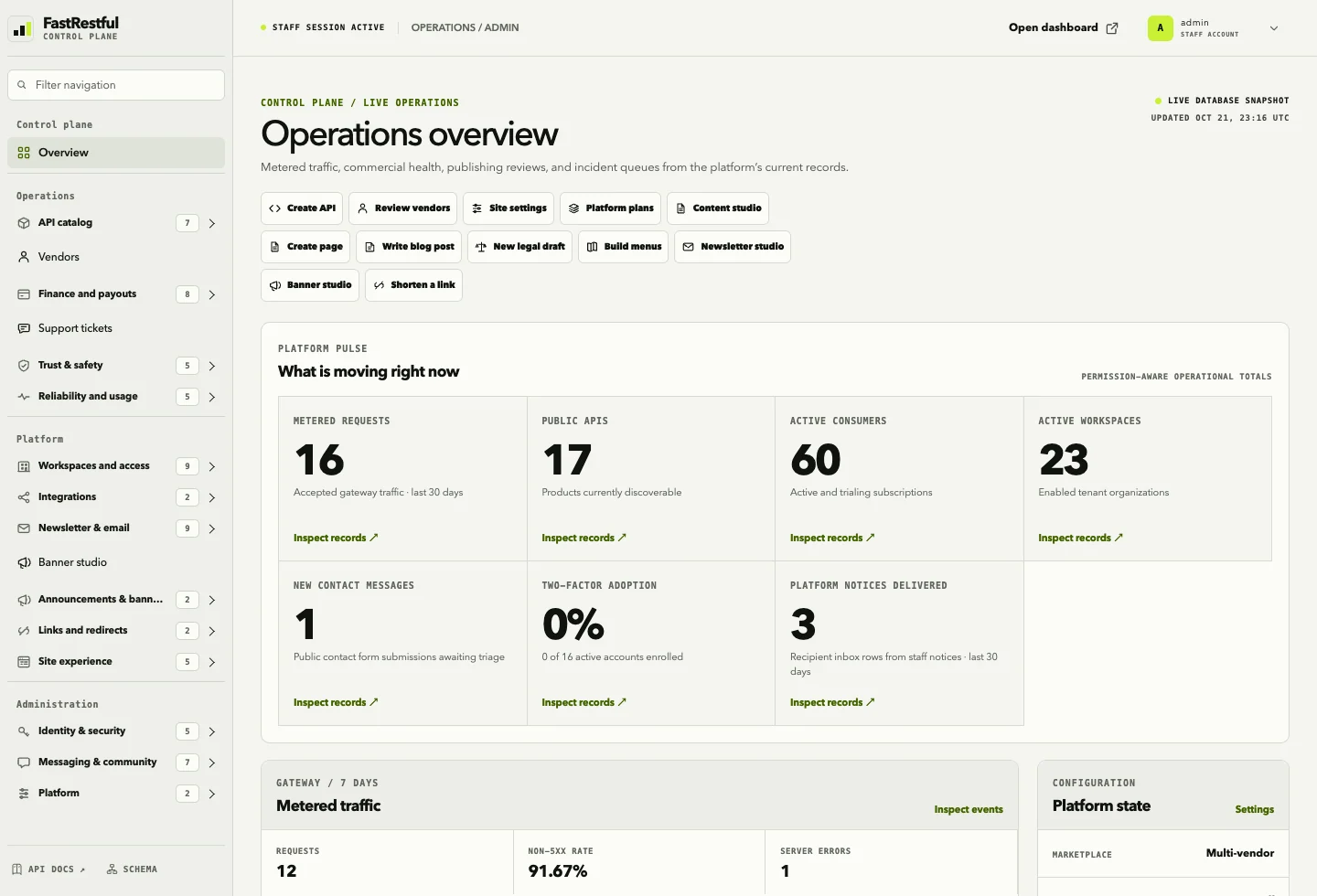
See license status on the operations overview
Admin → Operations overview
Before you update: take a database and media backup. The updater snapshots source and SQLite by default, but a verified backup is still your safety net. See Backups & upgrades.
Go to Dashboard → Licenses and copy the full key. It starts with DK-FRST-….
Open the update center.
Sign in as staff and open https://your-domain/admin/updates/. The sidebar calls it Software updates.
Paste the license key.
Use the full key, including any dashes. It is encrypted at rest and only a masked form is shown after activation.
Confirm the LicenseHub URL.
The default is https://dakidarts.com. Keep it unless Dakidarts gives you a different origin. HTTPS is required outside local debug.
Choose the environment.
Production consumes a production seat. Staging and Development consume non-production seats. Pick the one that matches this installation.
Optionally add the production domain.
For example api.example.com. This helps you identify the installation in the customer portal.
Choose a release channel.
Start with Stable. Use Beta or Preview only on a disposable test environment.
Click Activate license.
Activation creates or reuses a persistent installation_id and binds one seat. The page then shows the edition, update/support windows, activation count, and last heartbeat.
If activation fails, the error is shown on the page. The most common causes are an expired key, a seat limit, or a key copied with a trailing space.
Part 2 — Install an update from the admin
Take a backup.
Back up PostgreSQL, media, .env, and any custom files. Confirm the backup restores before you need it.
Open Admin → Software updates.
The page shows the running version, installed version, and connection status.
Click Check for updates.
LicenseHub returns every release your update window covers: newer, current, and older versions.
Click Download & stage on the target version.
FastRestful downloads every artifact, verifies the SHA-256, verifies the Ed25519 manifest signature, and extracts the bundle into FASTRESTFUL_UPDATE_DIR/<version>/bundle/.
Click Install.
The admin starts a detached worker so migrations or a build cannot exceed the web request timeout. The page refreshes while it runs.
Wait for “installed” and the restart banner.
The running process still uses the old code until you restart. The page shows Installed … · restart required.
Restart the services.
Restart Gunicorn or your app server, the Celery worker and beat, and the frontend process if it runs on the same host. Use your service manager, not the admin page. Example systemd commands:
systemd example
sudo systemctl restart fastrestful
sudo systemctl restart fastrestful-worker fastrestful-beat
# restart your frontend process too if it runs on this host
Verify.
Confirm the version in the update center, open /api/health/ready, and make one test request through the gateway.
Large bundles: the Download & stage action runs inside the admin request. For a large release on a slow link, use the CLI download command from the server shell so a web timeout cannot interrupt it.
Part 3 — Update from the command line
Use this when the admin is unavailable or when you want the install in a terminal session.
The CLI install is synchronous and prints the captured installer log. The admin install is asynchronous. Both verify the same signed artifacts before running the installer.
Keep the license lease fresh
The certificate lease is 24 hours. A heartbeat every six hours leaves room for transient outages. A daily check is enough for release discovery.
A failed heartbeat records the error in the admin but does not stop the gateway.
Part 4 — Roll back to an older version
Open the release list.
Older releases covered by your update window appear alongside the current version.
Click Install older version on the target release.
The update center marks the installation with that version. This is a normal release install, not a destructive reset.
Restart the services.
The restarted process picks up the older source tree.
Check the database.
If the newer release applied an irreversible migration, restore the pre-update database backup. Keep the database backup and the source backup together.
Source snapshots live in FASTRESTFUL_UPDATE_DIR/backups/. SQLite is copied; PostgreSQL is dumped with pg_dump when available. A rollback across an irreversible migration may still need the database restore.
Part 5 — Channels and environments
Channel
Use it for
stable
Production releases. This is the default.
beta
Preview releases for a staging environment.
preview
Early builds. Use only with a disposable environment.
The channel is stored on the connection and sent with every check. Change it on the update page or during activation.
Part 6 — Docker and image-based deployments
The default installer updates a source checkout. In a container, filesystem changes are not durable when the container is recreated. Choose one of these instead:
Build and deploy a new image from the downloaded release in your normal pipeline.
Set a custom FASTRESTFUL_UPDATE_INSTALL_SCRIPT that pulls the new image or triggers your platform rollout.
Use fastrestful_update download to fetch and verify the release, then apply it outside the running container.
Never mount the update directory over application source files. The updater writes bundles and backups into that directory; overlaying source can corrupt both.
Part 7 — Configuration
Variable
Default
Purpose
FASTRESTFUL_VERSION
1.0.0
Version shown to LicenseHub and compared with releases. Official release builds set this.
DAKIDARTS_LICENSEHUB_URL
https://dakidarts.com
LicenseHub origin for activation, heartbeats, and checks.
FASTRESTFUL_UPDATE_DIR
<repo>/updates
Private staging directory for artifacts, bundles, and backups.
FASTRESTFUL_UPDATE_TIMEOUT_SECONDS
900
Maximum installer runtime.
FASTRESTFUL_UPDATE_INSTALL_SCRIPT
install.sh
Installer path relative to the extracted bundle.
FIELD_ENCRYPTION_KEY
required in production
Encrypts the purchase key. Back it up. Losing it requires reconnecting the license.
Part 8 — Troubleshooting
Symptom
What to check
license_key_required
The key is missing or was cleared. Reconnect from /admin/updates/.
activation_not_found
The installation was deactivated in the customer portal or replaced. Reconnect or re-activate.
updates_expired
Renew the update entitlement in the Dakidarts portal. The existing installation keeps running.
activation_limit
Deactivate an old installation in the Dakidarts portal, then retry.
Download checksum failure
Retry. Check for a proxy or cache corrupting artifacts. Do not run the bundle.
No install script
The release bundle is incomplete. Use your deployment workflow or rebuild the release with scripts/install-release.sh.
Install succeeded but the version did not change
Restart the backend, workers, and frontend. The running process still uses the previous code.
Health checks fail after an update
Read the update log, then restore the previous source backup in FASTRESTFUL_UPDATE_DIR/backups/ and the matching database backup if needed.
Part 9 — Security notes
Only staff with licensing.change_licenseconnection can open the update center.
CSRF protection is enforced on every action.
The purchase key is encrypted at rest and is never rendered after activation.
Downloads use short-lived LicenseHub tokens. Artifacts are verified by SHA-256 and the Ed25519 manifest signature before extraction or execution.
Archive extraction rejects absolute paths, traversal, symlinks, and hardlinks.
Keep the update directory private. Do not serve it from Nginx or object storage.
A LicenseHub outage or expired update window does not take a running gateway offline. Revocation blocks official downloads; it does not remotely stop an existing perpetual installation.
For release maintainers
Official releases are private LicenseHub artifacts. A bundle may contain one source archive or several artifacts (source, migrations, frontend, docs). All artifacts are extracted into the same bundle/ directory in the order returned by LicenseHub.
The bundle must include an installer at one of these paths:
install.sh
scripts/install.sh
scripts/install-release.sh
the path in FASTRESTFUL_UPDATE_INSTALL_SCRIPT
scripts/install-release.sh in this repository is the reference implementation. Copy it to the root of the release bundle as install.sh. It snapshots the previous source and database, overlays the new source, preserves local secrets/media/database files, installs backend dependencies, runs Django migrations, and prints the restart requirement.
The installer receives FASTRESTFUL_RELEASE_DIR, FASTRESTFUL_BUNDLE_DIR, FASTRESTFUL_UPDATE_DIR, FASTRESTFUL_APP_ROOT, FASTRESTFUL_FROM_VERSION, FASTRESTFUL_TO_VERSION, FASTRESTFUL_PYTHON, and FASTRESTFUL_INSTALL_LOG. It runs with bash, a timeout, and a captured log. It must be non-interactive and leave the installation recoverable if it fails.
Deploy & operate8 min read
Troubleshooting
The failures teams hit most often — and the checks that resolve them.
API returns 401 or 403
401: missing/expired bearer token, missing X-API-Key, or a key that does not resolve. Refresh the JWT or issue a new key.
403: authenticated but not allowed. Check workspace membership, role, subscription status, and endpoint entitlement.
External gateway calls should use X-API-Key (or a bearer fr_live_… key), not a dashboard JWT.
Dashboard calls need both Authorization: Bearer <access> and X-Organization: <uuid>.
Browser requests fail with CORS or CSRF
Add the exact frontend origin to CORS_ALLOWED_ORIGINS and CSRF_TRUSTED_ORIGINS.
Use the same scheme, host, and port that the browser uses. localhost and 127.0.0.1 are different origins.
Rebuild the frontend after changing NEXT_PUBLIC_API_URL or NEXT_PUBLIC_SITE_URL.
For gateway calls from arbitrary consumer origins, configure CORS regexes or permissive CORS only on the product API host.
Gateway request fails
Symptom
Check
429
Monthly quota or per-minute rate limit reached. Inspect subscription usage and plan limits.
409
Idempotency key reused with different request input. Use a new key or repeat the original request.
503 retryable
Shared cache unavailable, circuit open, or maintenance mode. Check Redis and platform availability.
Upstream TLS/DNS failure
Confirm the vendor upstream is public HTTPS and resolves without redirects.
Key rejected
Key is revoked, expired, bound to another application, or its subscription is not active.
Endpoint not found
Method + path must match an endpoint in the live release. Check the release and plan entitlement.
The URL is exact and public. Register /api/v1/billing/stripe-webhook/, /paypal-webhook/, /flutterwave-webhook/, /paystack-webhook/, or /razorpay-webhook/ on the same hostname users reach. Localhost will not work.
Test and live values are not mixed. A test key with a live webhook ID (or the reverse) fails every delivery.
The secret is the right kind of secret. Stripe needs the endpoint signing secret (whsec_…), not the API secret key. Flutterwave needs the secret hash you created. Razorpay needs the webhook signing secret.
PayPal uses a webhook ID, not a secret. Put the ID from the same PayPal app and environment in PAYPAL_WEBHOOK_ID. FastRestful verifies each event with PayPal's signature-verification API. A missing or wrong ID returns Bad signature. See PayPal webhook troubleshooting.
Paystack usually needs no webhook secret. Leave PAYSTACK_WEBHOOK_SECRET blank; FastRestful verifies with PAYSTACK_SECRET_KEY.
The event types are selected. A webhook that is reachable but not subscribed to the settlement event leaves the invoice open.
Your proxy preserves provider headers. Nginx, Cloudflare, and load balancers must forward the signature headers unchanged.
The amount and currency match. FastRestful rejects a settlement that does not match the invoice.
Check the receipt. Open Admin → Payment events; duplicate event IDs are acknowledged without double-settling. Resend the failed event from the provider dashboard.
Email is not sending
Development uses the console email backend. Check the terminal output.
Production uses SMTP by default. Test host, port, TLS, username, and password.
Newsletter settings can override the environment sender; confirm the active provider in the studio.
Check SPF, DKIM, and DMARC before blaming the queue. Bounce and complaint rates suppress future sends.
Frontend build or route issues
Run npm run typecheck and npm test before debugging deployment.
A blank API-driven page usually means the API origin is unreachable or CORS is incomplete.
If public product pages work but /api/{slug} 404s, confirm the proxy only forwards Django namespaces and not the frontend-owned product route.
After i18n changes, run npm run export:i18n and restart Django.
Locale edits do not show up
Bundled French loads from the frontend bundle; admin overlays come from the active locale API.
Save the admin overlay, confirm the locale is active, and hard-refresh the browser.
After changing fr.json, export the backend source and restart the API to clear its process cache.
Check for a stale localStorage locale preference.
Platform10 min read
Authentication & access
FastRestful uses short-lived JWT access tokens, rotating refresh tokens, and a shared Django browser session. The same sign-in can open the consumer console, vendor studio, and staff admin.
Authentication flows
Flow
Endpoint
Result
Password login
POST /api/v1/auth/token/
Access + refresh token and a Django session.
Registration
POST /api/v1/auth/register/
User, optional workspace, JWT pair, and session.
Refresh
POST /api/v1/auth/token/refresh/
New access token; rotation blacklists the old refresh token.
Logout
POST /api/v1/auth/logout/
Clears the session; optionally blacklists a supplied refresh token.
The dashboard uses JWT plus the explicit active workspace header. External consumers use a subscribed product API key. A dashboard JWT must not be used as a customer API key, and a raw API key must not be sent to dashboard endpoints.
Workspace roles
Role
Typical access
Owner
Full workspace control, billing, team, and vendor operations. Last owner is protected.
Admin
Team, applications, keys, subscriptions, publishing, billing, and support.
Developer
Applications, keys, endpoint testing, and product publishing where allowed.
Billing
Invoices, payment methods, coupons, refunds, and payouts.
Viewer
Read-only access to workspace resources.
Platform staff access is separate: it requires is_staff and never follows from a workspace admin role. Staff permissions are enforced per Django model and admin action.
Two-factor authentication
TOTP authenticator enrollment with QR/provisioning URI and one-time recovery codes.
Recovery codes are shown once, hashed at rest, and regenerated as a set.
A superuser can require two-factor for every account in Site settings.
Admin access can be gated until enrollment is confirmed; the console shows a dedicated setup gate.
Workspace invites
Owners and admins invite by email and assign a role. Invite tokens are hashed, single-use, email-bound, expire after seven days, and can be resent or revoked. Accepting an invite requires an authenticated user with a matching email and can reactivate an inactive membership.
team API
GET  /api/v1/organization-invites/
POST /api/v1/organization-invites/          {"email": "...", "role": "developer"}
POST /api/v1/organization-invites/{id}/resend/
POST /api/v1/organization-invites/{id}/revoke/
POST /api/v1/auth/invites/accept/           {"token": "..."}
Register the callback URL https://api.example.com/api/v1/auth/sso/callback/ with the identity provider. Safe relative destinations and invitation tokens survive the round trip.
Install lxml before enabling SAML. Metadata is served at /api/v1/auth/saml/metadata/; configure the IdP with the assertion consumer service URL from the start endpoint.
API key lifecycle
Create a key in the selected application; the raw key appears once.
Send it as X-API-Key or a bearer fr_live_… credential.
Rotate to revoke the old key and issue a new one atomically.
Revoke immediately when a credential is lost; there is no recovery of the raw value.
Use execute or read scope for least privilege where the client does not need full management.
Platform12 min read
API products & releases
A product is the public identity. A version is the immutable contract. Endpoints, documentation, gateway policy, and plan entitlements all travel with that release boundary.
The product model
Entity
Owns
Category
Marketplace navigation and grouping.
ApiProduct
Public name, slug, logo, category, vendor, upstream, visibility, website, health check.
ApiVersion
Version number, changelog, OpenAPI contract, status, release notes.
Import creates or updates a draft version, reconciles endpoint rows from paths, reports created/updated/deleted endpoints, and preserves gateway policy fields on retained operations. Live version import is rejected.
Publication readiness
Gate
Requirement
Listing metadata
Name, slug, tagline, category, and README are present.
Upstream
A valid HTTPS upstream is configured.
Live release
At least one live version with a supported OpenAPI contract and matching endpoints.
Public plan
At least one public plan is available.
Release state machine
state flow
draft ──submit_review──► review ──promote──► live ──deprecate──► deprecated
  └───────────────────────promote────────────────┘

# product visibility
draft ──publish──► public ──unpublish──► draft
                       └──retire──► retired ──restore──► draft
Live versions are immutable: edits are rejected at model and serializer level.
Promotion retires the previous live version to keep a single-live invariant.
The contract and endpoint catalog must match exactly before promotion.
Plan endpoint entitlements are remapped by method + path when a new live release replaces the old one.
Breaking-change reports
shell
GET /api/v1/versions/{version_id}/diff/?against={previous_version_id}

# Review added, removed, and changed operations before promotion.
# A release can be promoted only after the contract is validated.
Product host routing
Every published product has two equivalent front doors:
Environment
Base URL
Production with wildcard DNS
https://{product-slug}.api.example.com
Single host / development
https://api.example.com/api/v1/{product-slug}
The middleware reads the first host label as the product slug. Path aliases are registered as a trailing route, so named API routes always win. Unknown products return a 404 with a hint; keyless requests to unknown products return 401 to avoid enumeration.
Plan entitlements
all grants every public endpoint in the live release.
selected grants only the configured endpoint set.
Selected entitlements are enforced at the gateway, including raw-path requests that bypass the endpoint catalog.
Commercial terms lock after the first subscription; create a replacement plan instead of editing a subscribed plan.
Platform11 min read
Gateway & metering
The gateway is the only path to vendor upstreams. It resolves the product, authenticates the key, enforces subscription and plan policy, reserves quota, forwards safely, meters usage, and writes a redacted trace.
Request pipeline
Resolve the product from the host or path alias and find the live version endpoint by method + path.
Authenticate with a dashboard JWT/session or an external X-API-Key / bearer fr_live_… credential.
Resolve the subscription for the product and application. Active and trialing subscriptions only.
Validate the key binding and stamp last_used_at. A key cannot cross applications or workspaces.
Reserve quota against the monthly counter and enforce per-endpoint rate limits atomically.
Run network safety checks: HTTPS, public DNS, no redirects, no traversal, pinned IP.
Forward with timeout, body caps, upload caps, and bounded retries.
curl --request GET \
  --url 'https://api.example.com/api/v1/signal-stack/v2/deliveries?limit=10' \
  --header 'X-API-Key: fr_live_…'
The legacy envelope POST /api/v1/gateway/execute/ remains for existing integrations and console tools. New snippets use the direct form.
Gateway headers
Header
Purpose
X-API-Key
Subscribed product key. Recommended for external clients.
Authorization: Bearer fr_live_…
Backwards-compatible key form.
Idempotency-Key
Replay-safe key for completed responses, default TTL 24 hours.
X-Organization
Dashboard workspace only; not for external gateway clients.
Quotas and rate limits
Monthly quota is reserved before forwarding and counts routed requests, including upstream failures.
Unlimited quota removes only the monthly cap; the per-minute limit and endpoint entitlement still apply.
Per-endpoint rate limit uses an atomic cache fixed window. A shared-cache outage returns a retryable 503 before quota reservation.
Overage is billed per 1,000 requests when configured; zero means alert-only.
Idempotency and retries
Completed responses are stored with a SHA-256 token hash, request fingerprint, and redacted response for the configured TTL.
Replays return the stored response before quota or upstream calls.
Reusing a key with different request input returns 409.
Retries are bounded and only apply to safe transient failures; non-idempotent methods are not retried blindly.
A circuit breaker opens after repeated upstream failures and returns a retryable 503 during cooldown.
SSRF and network safety
Upstreams must be public HTTPS. Private, loopback, link-local, and unsafe DNS answers are rejected.
The path must stay on the original host. .. traversal is rejected.
Redirects are not followed.
The selected public DNS address is pinned through the TLS connection to prevent rebinding.
Vendor secrets are attached server-side and never returned to the browser.
Response previews are capped and redact cookies, authorization, and API-key headers.
Request logs and metering
Consumer view: active-workspace request history with search, status filters, and CSV export.
Vendor view: request-level logs across owned products, with consumer, endpoint, latency, status, and redacted previews.
Usage events: status code, latency, subscription, product, endpoint, and timestamp.
Monthly counters: quota and analytics read model.
Retention is configurable with prune_telemetry.
Gateway environment
All timeouts, caps, retry budgets, circuit thresholds, idempotency TTL, trusted proxy CIDRs, media preview limits, and the product host suffix are environment-driven. See Configuration for the complete table.
Platform14 min read
Billing & payouts
Billing has two jobs: let consumers pay for API plans, and let the platform operator charge for workspace capacity. Both use the same providers, invoices, and webhook settlement.
Connecting a provider for the first time? Read Payment gateways, step by step first. It covers the provider dashboard, webhook URLs, PayPal's webhook ID, and test checkouts. This guide explains what happens after the provider is connected.
The two billing planes
Think of it as two separate cash registers:
Plane
Who pays
Who receives
What it unlocks
Vendor API plans
API consumer
API vendor, minus the marketplace fee
Requests to that product, subject to its quota and rate limit.
Platform plans
Workspace owner
Platform operator
Workspace count and API listing limits on the platform itself.
Both use hosted checkout, signed webhooks, invoices, and reconciliation. Vendor API revenue flows into payout settlement; platform subscription revenue does not.
Vendor plans
Monthly or annual interval, currency, price, and description.
Up to eight public feature lines and one recommended public plan.
all or selected endpoint entitlement.
Commercial terms lock after the first subscription; use a replacement plan for changes.
Checkout and settlement
Consumer selects a plan and accepts API terms.
A pending subscription and first-period invoice are created.
The configured provider opens hosted checkout.
The provider sends a signed webhook after payment.
FastRestful verifies the signature, records the provider event, validates amount/currency, and marks the invoice paid.
Entitlement activates only after settlement. Browser redirects never grant access.
provider webhooks
POST /api/v1/billing/stripe-webhook/
POST /api/v1/billing/paypal-webhook/
POST /api/v1/billing/flutterwave-webhook/
POST /api/v1/billing/paystack-webhook/
POST /api/v1/billing/razorpay-webhook/
Admin → Payment gateways overrides environment credentials field by field. Disabling a gateway record turns that provider off everywhere, even if environment keys remain.
Refunds
Vendors with billing permission refund paid invoices through the original gateway.
Idempotency keys and pending refund requests make retries safe.
Full refunds mark the invoice refunded.
Refunds after payout append vendor revenue clawback and proportional fee-reversal ledger entries.
Consumers cannot self-refund; manual payments must be refunded through their provider.
Payouts
payout state
pending ──► in_transit ──► paid
   │              │
   ├──► failed ◄──┘
   └──► reversed

# Only paid invoices settle. Refunds reduce the next transfer.
# Gross collected revenue is stored separately from net transfer.
# Provider event IDs are unique and retries are idempotent.
Configure a vendor destination with PATCH /api/v1/orgs/{id}/payout-provider/ (acct_… for Stripe or email for PayPal).
Start a transfer with POST /api/v1/payouts/{id}/transfer/.
Reconcile with POST /api/v1/payouts/{id}/reconcile/; strict states require a transfer ID or failure reason.
Multi-vendor mode must be on. Platform subscription checkout is unavailable while multi-vendor mode is disabled in Site settings. Enable it before selling workspace plans.
Platform plans are managed at Admin → Platform plans; maximum five plans.
Each plan can define owned-workspace and API listing limits, benefits, and a recommendation.
Paid plans stay unpublished until a display amount and matching recurring provider price ID are configured.
Checkout and Billing Portal sessions are server-created with fixed FRONTEND_URL destinations.
Subscription reconciliation is read-only in admin so staff changes cannot drift from the provider.
Settlement commands
shell
python3.11 manage.py generate_invoices --period 2026-10
python3.11 manage.py generate_payouts --period 2026-10

# Both commands are idempotent and safe to rerun.
The monthly Celery task runs on the 1st at 00:05 UTC. Without a broker, invoke the commands manually.
Provider environment
See Configuration → Payments and payouts for every variable. At minimum: Stripe secret/webhook, PayPal client/webhook, or the hosted-gateway public/secret/webhook trio. Frontend card UI also needs NEXT_PUBLIC_STRIPE_PUBLISHABLE_KEY.
Platform24 min read
Payment gateways, step by step
Connect a real payment provider without guessing. Each provider section has two halves: what to click in the provider dashboard, then what to enter in FastRestful. PayPal includes a complete webhook walkthrough, including where to find the webhook ID that FastRestful requires.
Before you start
You need
Why
A public HTTPS URL
Every provider must be able to reach your webhook endpoint. localhost will not work in a real provider dashboard.
A test account first
Use sandbox/test mode until a test payment settles. Never debug with live money.
Admin access
You will configure providers in Admin → Payment gateways or in backend/.env.
A plan to sell
Vendor API plans are created in the vendor studio. Platform plans are created in Admin → Platform plans.
One provider at a time. Configure Stripe, run a test payment, and confirm the invoice is paid before you add PayPal or a hosted gateway. Provider bugs are much easier to find when only one thing changed.
Free plans still work without a provider. Paid checkout cannot open until at least one gateway is enabled. If the checkout says “No payment provider is configured,” finish one provider section below first.
Provider dashboards change. Use these steps as a map, not a screenshot. If a menu label differs, look for the same concept: API keys, webhooks, products, prices, or payouts.
How money moves in FastRestful
FastRestful creates an invoice.
The subscription and first-period invoice exist before checkout opens. Nothing is marked paid yet.
For paid plans, the provider opens checkout.
The customer pays on the provider's hosted page. FastRestful only stores the checkout reference.
The provider sends a signed webhook.
FastRestful verifies the signature, records the event once, and checks the amount and currency.
The invoice is settled.
Only now does the subscription activate and entitlement begin. A browser redirect never grants access.
Webhooks are the source of truth. If the customer pays but the webhook never arrives, the invoice stays open. The provider dashboard is the place to inspect and resend the delivery.
Where credentials go
You can put credentials in backend/.env or in Admin → Payment gateways. Admin records are easier to rotate and override environment values field by field. Disabling an admin record turns the provider off everywhere, even if environment keys still exist.
Provider
Public field
Secret field
Webhook field
Stripe
—
Secret key (sk_…)
Signing secret (whsec_…)
PayPal
Client ID
Client secret
Webhook ID (not a secret and not the URL)
Flutterwave
Public key
Secret key (FLWSECK-…)
Secret hash you create
Paystack
Public key (pk_…)
Secret key (sk_…)
Leave blank to use the secret key
Razorpay
Key ID (rzp_…)
Key secret
Webhook signing secret
Admin field names are generic. On the payment gateway form, Public key means the provider's public/client identifier, Secret key means its private API secret, and Webhook secret means the webhook signing value. For PayPal that is Client ID, Client secret, and Webhook ID respectively.
Testing webhooks on your laptop
Providers cannot reach http://127.0.0.1:5056. Use one of these approaches for local testing.
Stripe CLI
Install and log in to the Stripe CLI.
Follow Stripe's CLI install guide, then run stripe login and approve the browser prompt.
These providers need a public HTTPS URL. Use a tunnel such as ngrok or Cloudflare Tunnel, then register the tunnel URL in the provider dashboard:
shell
# Example with ngrok
ngrok http 5056

# Use the generated https URL, for example:
# https://abc123.ngrok-free.app/api/v1/billing/paypal-webhook/
Change the tunnel URL later? Update the provider dashboard and the FastRestful webhook destination together. A stale URL is the most common cause of "payment succeeded but the invoice never closed."
PayPal also provides a webhook simulator in the developer dashboard. Point it at the tunnel URL and use the webhook ID from the same sandbox app so FastRestful can verify the simulated event.
Choosing a provider
Provider
Checkout
Payouts
Best fit
Stripe
Hosted checkout or embedded card UI
Connect transfers
Global cards, wallets, and automated vendor payouts.
PayPal
PayPal Checkout orders; PayPal Billing for platform plans
PayPal Payouts
Buyers who prefer PayPal balances, cards, and PayPal subscriptions.
Flutterwave
Hosted checkout
Manual reconciliation
African markets with local payment methods.
Paystack
Hosted checkout
Manual reconciliation
Nigeria, Ghana, Kenya, and South Africa.
Razorpay
Payment Links
Manual reconciliation
India, with INR-first pricing.
Vendor plans vs platform plans. Vendor API-plan subscriptions are billed through FastRestful invoices: the first period opens a hosted checkout, and later invoices are generated by the settlement job. Platform subscriptions use the provider's recurring billing: Stripe Prices or PayPal Billing plans. Platform subscription checkout also requires multi-vendor mode to be enabled in Site settings. They are configured in different places.
Stripe, step by step
1. Create and activate a Stripe account
Create a Stripe account and complete the business profile.
Keep Test mode enabled while you integrate. The toggle is in the Stripe Dashboard top bar.
You can take test payments before Stripe finishes account activation.
2. Copy the API keys
Open Developers → API keys.
In the Stripe Dashboard, open Developers and then API keys.
Copy the secret key.
Use the test secret key first (sk_test_…). Put it in STRIPE_SECRET_KEY or the Stripe admin record. Never put the secret key in frontend code.
Copy the publishable key.
Put the test publishable key (pk_test_…) in NEXT_PUBLIC_STRIPE_PUBLISHABLE_KEY if you want the embedded card UI. Rebuild the frontend after changing it.
Stripe shows a value starting with whsec_…. This is STRIPE_WEBHOOK_SECRET. It is not the API secret key.
Stripe signs every delivery. FastRestful rejects stale signatures and fails closed when STRIPE_WEBHOOK_SECRET is missing, so a correct signing secret is mandatory.
4. Add Stripe in FastRestful
Open Admin → Payment gateways and edit the Stripe row (recommended), or use environment variables.
FastRestful field
Stripe value
Mode
Test until the sandbox succeeds, then Live.
Secret key
sk_test_… or sk_live_…
Webhook secret
whsec_…
If you use environment variables instead, set STRIPE_SECRET_KEY and STRIPE_WEBHOOK_SECRET, then restart the backend and workers.
5. Platform plans and Stripe Prices
Only needed if you sell platform subscriptions. Vendor API plans use the product's own price and do not need a Stripe Price.
Create a Product in Stripe.
Open Product catalog → Add product. Name it after your platform plan.
Add a recurring Price.
Use the exact amount, currency, and billing interval your platform plan displays. Monthly and annual prices must be separate Prices.
Copy each Price ID.
Price IDs start with price_….
Paste them into the platform plan.
Open Admin → Platform plans and fill Stripe monthly price ID and Stripe annual price ID.
FastRestful checks the Price against the plan amount, currency, and interval at checkout. A mismatch returns 409 with an explanation instead of charging the wrong amount.
6. Stripe Connect for vendor payouts
Enable Connect in Stripe and create a connected account for each vendor you pay.
Copy the connected account ID (acct_…).
Store it as the vendor's destination with PATCH /api/v1/orgs/{id}/payout-provider/ or from the vendor payout settings.
Optionally set PAYOUT_PROVIDER=stripe to allow only Stripe payouts.
Keep transfer.* events selected on the Stripe webhook.
7. Test Stripe
Use test card 4242 4242 4242 4242, any future expiry, any CVC.
Complete a checkout and confirm the invoice becomes paid.
Confirm the subscription becomes active and the consumer key works.
Open Admin → Payment events and confirm the event was processed once.
Trigger a refund and confirm the invoice refund state is correct.
PayPal, step by step
PayPal is the provider with the most platform-side steps. FastRestful uses two different PayPal products: Checkout orders for vendor API-plan purchases and Billing subscriptions for platform plans. Both use the same app credentials and webhook.
1. Create a PayPal app and copy credentials
Open the PayPal Developer Dashboard.
Go to developer.paypal.com and sign in with your PayPal business account.
Choose Sandbox or Live.
Use the Sandbox/Live switch at the top. Sandbox and live have separate apps, credentials, and webhook IDs.
Open Apps & Credentials → Create App.
Give it a name such as FastRestful and select the business account that should receive payments.
Copy the Client ID and Secret.
These go into PAYPAL_CLIENT_ID and PAYPAL_CLIENT_SECRET (or the PayPal admin record). If the secret is hidden, use the app's regenerate action and copy the new value.
2. Add the PayPal webhook (required)
This is the step most people miss. Without a webhook ID, FastRestful rejects every PayPal event and paid orders stay unpaid.
Open your app in Apps & Credentials.
Scroll to Webhooks and click Add Webhook.
The exact label may be Webhooks or Add Webhook depending on the PayPal dashboard version.
Open the saved webhook if needed. PayPal shows a webhook ID (a short alphanumeric string). This is PAYPAL_WEBHOOK_ID. It is not the webhook URL and not the client secret.
Why PayPal is different. FastRestful does not hash the PayPal payload with a shared secret. It sends the webhook headers and event body to PayPal's /v1/notifications/verify-webhook-signature endpoint together with the stored webhook ID. If the ID is missing, from the other environment, or from another app, verification fails and FastRestful returns 400 Bad signature. This is intentional fail-closed behavior.
3. Add PayPal in FastRestful
FastRestful field
PayPal value
Client ID
App Client ID
Client secret
App Secret
Webhook ID
The webhook ID you copied in the previous step
Mode
Test for sandbox, Live for production
Open Admin → Payment gateways and edit the PayPal row. On that form, Public key is the Client ID, Secret key is the Client secret, and Webhook secret is the Webhook ID.
If you prefer environment variables:
backend/.env
PAYPAL_CLIENT_ID=...
PAYPAL_CLIENT_SECRET=...
PAYPAL_WEBHOOK_ID=...
PAYPAL_ENV=sandbox          # use live in production
# PAYPAL_API_BASE=          # only for a proxy or custom host
Restart the backend and workers after changing environment values. If you use the admin record, save and enable it; no restart is needed.
4. PayPal Billing plans for platform subscriptions
Skip this unless you sell platform subscriptions through PayPal. Vendor API plans use one-time Checkout orders and do not need a PayPal Billing plan.
Create a Product in PayPal.
In the PayPal dashboard, open the Billing/Subscriptions area and create a product that represents your platform.
Create a monthly and/or annual Plan.
Set the exact amount, currency, and interval that match the plan in FastRestful. Create a separate plan for each interval.
Copy each Plan ID.
PayPal plan IDs start with P-….
Paste them into the platform plan.
Open Admin → Platform plans and fill PayPal monthly plan ID and PayPal annual plan ID.
Confirm the webhook includes subscription events.
The subscription is created in PENDING state. It becomes active only after BILLING.SUBSCRIPTION.ACTIVATED arrives.
5. PayPal Payouts for vendors
Confirm the PayPal business account is approved for Payouts.
Store the vendor's PayPal receiver email as their payout destination with PATCH /api/v1/orgs/{id}/payout-provider/.
Optionally set PAYOUT_PROVIDER=paypal, or PAYOUT_PROVIDER=stripe,paypal to allow both.
Keep the PAYMENT.PAYOUTS-ITEM.* events selected on the webhook.
6. Test PayPal sandbox
Use sandbox credentials.
Set PAYPAL_ENV=sandbox, use the sandbox app's Client ID and secret, and the sandbox webhook ID.
Create a sandbox buyer account.
The PayPal Developer Dashboard provides test personal accounts. Sign in to sandbox.paypal.com with that buyer when checkout opens.
Complete a test payment.
Approve the order and wait for the redirect back to FastRestful.
Check the webhook receipt.
Open Admin → Payment events. You should see CHECKOUT.ORDER.APPROVED, then PAYMENT.CAPTURE.COMPLETED, and the invoice should become paid.
Resend a delivery if needed.
In the PayPal dashboard, open the webhook's event deliveries and resend the failed event. FastRestful deduplicates by event ID.
PayPal webhook troubleshooting
FastRestful response
Meaning
Fix
400 PayPal webhook is not configured.
The client ID or client secret is missing, or the admin record is disabled.
Fill the client ID and secret and enable the record. Restart if you use environment variables.
400 Bad signature.
The webhook ID is missing, belongs to another app/environment, or the signature headers were stripped.
Copy the webhook ID from the same sandbox/live app. Do not use the URL or client secret. Check that your proxy forwards Paypal-* headers.
404 Unknown invoice for PayPal capture.
The capture arrived before the local invoice reference existed or the event came from another installation.
Resend the event from PayPal after confirming the checkout was created by this installation.
{"status":"ignored"}
The event is not one FastRestful handles, or the subscription/order reference is unknown.
Check that the event types above are selected. Confirm the checkout was created by this FastRestful environment.
{"status":"duplicate"}
The same event ID was delivered twice.
No action. This is the idempotency guard working.
Flutterwave, step by step
Create and verify a Flutterwave account.
Complete the business profile and KYC before using live mode.
Copy the API keys.
Open Settings → API Keys. Copy the public key and secret key. Test and live keys are separate.
Enter a long random string as the webhook secret hash. Put the same value in FLUTTERWAVE_WEBHOOK_SECRET or the admin record. This is a value you choose, not a key Flutterwave generates.
Enter the keys in FastRestful.
Edit the Flutterwave row in Admin → Payment gateways, or set FLUTTERWAVE_PUBLIC_KEY, FLUTTERWAVE_SECRET_KEY, and FLUTTERWAVE_WEBHOOK_SECRET.
Test a checkout.
FastRestful handles charge.completed with status successful. Other events are acknowledged and ignored.
Paystack, step by step
Create and activate a Paystack account.
Complete the business activation steps before using live keys.
Copy the API keys.
Open Settings → API Keys & Webhooks. Copy the public and secret keys for test or live mode.
Paystack signs each webhook with your secret key using HMAC-SHA512. FastRestful falls back to PAYSTACK_SECRET_KEY when PAYSTACK_WEBHOOK_SECRET is empty. Only set an override if Paystack support gives you a separate signing key.
Enter the keys in FastRestful.
Edit the Paystack row in Admin → Payment gateways, or set PAYSTACK_PUBLIC_KEY and PAYSTACK_SECRET_KEY.
Test a checkout.
FastRestful handles charge.success and compares the amount in the smallest currency unit (for example kobo for NGN).
Razorpay, step by step
Create and verify a Razorpay account.
Complete KYC and activate live payments.
Generate API keys.
Open Account & Settings → API Keys and generate a key. Copy the Key ID and Key Secret.
Add the webhook.
Open Account & Settings → Webhooks → Add New Webhook and set:
Select payment_link.paid. FastRestful creates a Razorpay Payment Link for checkout and reconciles that event. Set a strong webhook secret; Razorpay signs with HMAC-SHA256, and the same value must be stored in FastRestful.
Enter the keys in FastRestful.
Edit the Razorpay row in Admin → Payment gateways, or set RAZORPAY_KEY_ID, RAZORPAY_KEY_SECRET, and RAZORPAY_WEBHOOK_SECRET.
Test a checkout.
Open the Payment Link, pay with a test method, and confirm the invoice is paid and the event is recorded once.
The 10-minute acceptance test
Run this for every provider before going live:
Provider shows as configured and enabled in Admin → Payment gateways.
A test checkout opens the provider's page and returns to the correct frontend URL.
The signed webhook arrives and appears once in Admin → Payment events.
The invoice becomes paid only after the webhook, not on the redirect.
The subscription becomes active and a consumer key works.
A refund returns to the original payment method and updates the ledger.
If payouts are enabled, a test transfer reaches the vendor destination and reconciles.
A duplicate webhook delivery is acknowledged without double-settling.
Common webhook mistakes
Mistake
What happens
Fix
Using http://localhost as the webhook URL
The provider cannot reach your machine.
Use a public HTTPS URL or a tunnel for local testing.
Mixing test and live credentials
Checkout opens, but webhook verification fails or the wrong account is charged.
Keep the entire set in the same mode: keys, webhook ID/secret, and provider environment.
Pasting the PayPal webhook URL as PAYPAL_WEBHOOK_ID
Every PayPal event returns Bad signature.
Copy the webhook ID from the app's Webhooks detail page.
Using the Stripe secret key as the webhook secret
Stripe deliveries fail verification.
Use the endpoint signing secret (whsec_…).
Forgetting to subscribe to an event
The provider never sends it, so the invoice stays open.
Select the event list for that provider exactly as shown above.
Changing the tunnel URL
Deliveries go to an old host and fail.
Update the provider dashboard and FastRestful together.
Wrong amount or currency
FastRestful rejects settlement to protect the ledger.
Make the plan and provider price match exactly.
Proxy strips signature headers
Verification fails even with correct secrets.
Forward the provider headers unchanged through Nginx, Cloudflare, or your load balancer.
Go-live checklist
Switch to live credentials.
Replace test keys, webhook IDs, and secrets with live values. Set PAYPAL_ENV=live for PayPal.
Register the production webhook URLs.
Use your real API hostname, not a tunnel, and confirm HTTPS works from the public internet.
Set the frontend publishable key.
Use the live Stripe publishable key and rebuild the frontend.
Match prices and plan IDs.
Confirm Stripe Price IDs and PayPal Billing plan IDs point to live objects with the exact amount, currency, and interval.
Take one small real payment and refund it.
Verify the webhook, invoice, entitlement, refund, and ledger entries. This is the only way to prove the live path.
Watch the first day of events.
Check Admin → Payment events for failures and confirm the provider dashboard shows successful deliveries.
Experience8 min read
Media library & CDN
One storage pipeline for media assets, product logos, vendor photos, user avatars, and CMS images. Local filesystem in development; S3 + CloudFront in production.
Supported types and limits
Kind
Extensions
Limit
Image
jpg, jpeg, png, webp, gif
8 MB
Video
mp4, webm
64 MB
Audio
mp3, wav, ogg
16 MB
Document
pdf, txt, csv
16 MB
Archive
zip
32 MB
Validation checks extension, declared content type, magic-byte signature, and size. Identical bytes inside one workspace are deduplicated by SHA-256 checksum. GET /api/v1/media/supported-types/ drives the UI accept hints.
Storage modes
MEDIA_STORAGE
Behavior
local
Django filesystem storage under MEDIA_ROOT; served at /media/.
s3
S3 via django-storages. UUID object names are immutable and written with a one-year immutable cache header.
S3 mode requires boto3 and django-storages in the production environment. manage.py check fails if the bucket is missing and warns when neither a CDN domain nor a public-read ACL is configured.
CloudFront setup
Create a private bucket with Block all public access enabled.
Create a CloudFront distribution with the bucket origin and Origin Access Control (OAC).
Grant the distribution s3:GetObject on arn:aws:s3:::<bucket>/* via the generated bucket policy.
Point MEDIA_CDN_DOMAIN at the distribution or a CNAME with an ACM certificate.
Optionally set MEDIA_CDN_DISTRIBUTION_ID to enable purge actions.
Because object names are immutable, replaced uploads get a new key. Long-lived CDN caching is safe and purges are rarely needed. Set MEDIA_S3_ACL=public-read only when serving directly from S3 without CloudFront.
Library workflows
Console: staff upload and manage the library; tenants see a read-only workspace shelf at /dashboard/media or /vendor/media.
Collections: workspace-scoped folders/categories with search, filters, and bulk moves.
Rename presets: kebab, snake, Title Case, UPPER, or keep, with prefixes, suffixes, and padded sequences.
Focal points: per-asset focal_x/focal_y (0–100) used by CMS image blocks.
Range selection: shift-click a range, download, copy URL, and open the previous/next asset in the drawer.
Usage badges: see where an asset is referenced before deleting it.
Picker semantics
Picking a library asset copies its bytes into the target field. Replacing or deleting the library asset never breaks a picked image, and each model keeps its own storage lifecycle. Cross-workspace assets are rejected.
Wired targets: product logo, vendor profile/cover, user avatar, admin branding, category images, CMS images, and content block media.
Media API
Endpoint
Purpose
GET/POST /api/v1/media/
List with kind/search/ordering and upload multipart.
PATCH/DELETE /api/v1/media/{id}/
Metadata, alt text, tags, and deletion.
POST /api/v1/media/bulk-delete/
Batch delete by ids.
GET /api/v1/media/supported-types/
Type registry and limits.
GET /api/v1/media/storage-info/
Staff-only backend, bucket, CDN, ACL, and sample URL diagnostics.
Environment
See Configuration for the media and spec storage matrix, including endpoint URL, CDN domain, distribution ID, and ACL behavior.
Experience12 min read
Newsletter studio
Staff-only email marketing with audiences, block-based templates, campaigns, A/B subject tests, segments, automations, per-link analytics, and transactional system mail.
The newsletter studio is a separate operational surface inside the control plane, not a buried settings tab.
Quick start
Open /admin/newsletter/ → Settings and configure the provider, sender, public backend URL, postal address, and unsubscribe copy.
Lists & contacts → create a list; add or import contacts as email, name, tags.
Templates → duplicate a built-in starter or start blank, design with the block editor, then save and preview.
Campaigns → choose a template, lists, optional segment, subject(s), and send a test to yourself.
Automations → add email and wait steps; list joins or tags trigger enrollment.
System emails → bind templates to transactional triggers.
Provider setup: for the exact dashboard steps for SES, Mailgun, SendGrid, Postmark, Brevo, Mailjet, SparkPost, Resend, or custom SMTP, see External integrations → Email.
scheduled work
python3.11 manage.py newsletter_beat
# or schedule the Celery tasks:
# newsletter.send_due_campaigns
# newsletter.process_automations
18 built-in templates across launches, digests, webinars, case studies, win-backs, NPS, promos, changelogs, editorials, community spotlights, onboarding, and service announcements.
Campaigns
Audience is selected lists (union) ∩ optional segment, deduplicated; subscribed contacts only, with bounced/complained addresses excluded.
A/B subject tests split a percentage of recipients, wait for a window, then send the winner to the remainder. Manual “decide winner now” is available.
Resend to unopened creates a draft targeting only contacts with no open from the original campaign.
Scheduling, pause/resume/cancel, test send, and campaign calendar.
UTM defaults are applied to campaign links; only http(s) targets are accepted.
Segments and automations
Segments combine lists, tags (all/any), contact status, engagement windows (opened, clicked, not opened within N days), and join recency. Counts are evaluated live and reused by campaigns.
Automations trigger on list join, tag, manual, or API. Steps send an email or wait N hours. Runs advance idempotently and record failures. Enrollment is deduplicated per contact.
System emails
If an active studio template is bound to a trigger, it renders HTML + text; otherwise the legacy plain message is sent. Bound keys include welcome, password reset, login code, security alert, platform notice, invoice opened, payment failed, vendor approved, quota alert, organization invite, and activity digest.
Public signup and preferences
POST /api/v1/newsletter/subscribe/ with optional double opt-in confirmation.
GET /confirm/<token>/, GET /unsubscribe/<token>/, and RFC 8058 one-click POST.
Preference center at /api/v1/newsletter/preferences/<token>/ to toggle lists or unsubscribe globally.
Open pixel and click redirects rewrite links when tracking is enabled.
Outgoing mail includes List-Unsubscribe and List-Unsubscribe-Post headers.
Deliverability and operations
Bounce, complaint, unsubscribe, and growth charts; keep bounce and complaint rates near zero.
Send-time heatmap by local weekday × hour, with best-window recommendations.
Audience estimates and sample addresses before sending.
Contacts page with status, tags, custom fields, memberships, suppression, deliveries, events, and automation runs.
CSV exports for contacts, campaign recipients, and links.
Run newsletter_beat every few minutes for schedules, A/B decisions, and automation delays.
Experience8 min read
Announcements & banners
Admin-designed public banners for top bars, footer placements, and in-page ads — with targeting, scheduling, dismissal rules, visual experiments, and impression/click analytics.
Placements
Key
Where it appears
topbar
Full-width bar above the public header.
footer
Full-width banner above the footer grid.
footer_left
Left footer ad slot.
footer_right
Right footer ad slot.
center
In-page banner between the header and page content.
One banner is served per placement, chosen by priority then recency. A banner can target multiple placements.
Targeting and scheduling
Paths: include and exclude patterns such as /pricing, /docs/*, or *.
Audience: everyone, signed-out visitors, or signed-in users.
Locale and device: comma-separated allow-lists; tablet falls back to mobile when mobile is allowed.
Schedule: start/end timestamps and an active switch.
Priority: higher numbers win when multiple banners match.
Design and built-ins
Layouts: bar, card, split, minimal.
Badge, headline, body, CTA label/URL/style/new-tab, image, side, colors, gradients, alignment, and live preview.
32 built-in banners across launches, trust/status, promotions, events, lifecycle, editorial, community, and seasonal campaigns.
Custom HTML with {{click_url}}, {{dismiss_url}}, and {{impression_url}} placeholders so tracking still works.
Dismiss frequency: every page load, once per session, once per day, or once ever.
Delivery and tracking
public endpoints
GET  /api/v1/announcements/?path=/pricing&locale=en&placement=topbar
POST /api/v1/announcements/<id>/impression/
POST /api/v1/announcements/<id>/dismiss/
GET  /api/v1/announcements/<id>/click/
Payloads include server-rendered inline-styled HTML plus impression_url, dismiss_url, and frequency. Events record placement, path, locale, device, referrer, user agent, and IP.
Experiments and reporting
Banners with the same priority share traffic by weight (1–1000).
Set an experiment name and variant label on multiple banners; one variant is chosen per request based on weight.
Experiment reports show impressions, clicks, CTR, and the leading variant.
Reports chart 30/90-day daily activity and break down placement, top pages, devices, and recent events.
Admin lists show counters, activate/pause actions, and read-only event records.
Operations
Banner events are append-only. Dismissal state is stored in the visitor’s browser and counted server-side. The public script skips bot user agents; use a normal browser user agent for public-banner QA.
Experience7 min read
Short links
Campaign-ready short links, redirects, QR codes, UTM defaults, fallbacks, click analytics, and broken-destination checks — available in both the consumer dashboard and the vendor studio.
What it does
Create short links with a custom slug, destination, tags, redirect type, expiry, and active state.
301 or 302 redirects; expired or disabled links can fall back to a safe destination or a branded 410 page.
UTM defaults (utm_source, utm_medium, utm_campaign) appended at redirect time; inbound campaign parameters take precedence.
QR SVG generation with custom color and campaign metadata.
Click analytics with country, device, referrer, and campaign context.
Broken-destination health checks with error details and one-click re-check.
CSV import/export and bulk selection actions.
Console
Open Links in the consumer dashboard (/dashboard/links) or vendor studio (/vendor/links). The editor includes title, destination, slug, tags, redirect type, expiry, active switch, and staff-only site-wide scope. The table exposes copy, QR, re-check, edit, delete, health, and status actions.
Configuration
Variable
Purpose
SHORTLINK_BASE_URL
Public short-link origin, e.g. https://go.example.com.
NEWSLETTER_TRACKING_BASE_URL
Fallback origin when the short-link base is empty.
Public redirects resolve by slug, record the click, then redirect. Admin lists include click/health columns, re-check/activate/disable actions, a “Shorten a link” quick action, and a read-only click log.
Experience12 min read
Site, CMS & locales
The Django control plane owns the public shell: identity, search/share defaults, navigation, pages, blog posts, legal documents, custom CSS/JS, maintenance mode, and locale overlays.
Operator surfaces
Admin route
Owns
/admin/platform/sitesettings/
Marketplace policy, brand assets, global metadata, header/footer copy, announcement, support contact, two-factor policy, maintenance mode.
Header CTA label + destination (must be supplied together).
Announcement banner enabled/text/url.
Footer headline, summary, copyright, support email.
Built-in challenge or Google reCAPTCHA for public forms.
Required two-factor policy for all accounts.
Theme colors, fonts, and live public-shell preview.
Structured content
Pages and posts are assembled from ordered sections, not raw HTML. Available section kinds include prose, table, code, image, video, split, quote, tabs, multi-language code, endpoint sample, testimonials, feature list, FAQ, steps, metrics, card grid, divider, hero, logo strip, timeline, link list, callout, API collection, category collection, top APIs, and recent articles.
Prose supports paragraphs separated by a blank line; list items are one per line.
Actions require both a label and destination; links accept site paths, HTTPS, mailto, or tel.
Drafts never appear publicly; published pages appear in site content, metadata, and sitemap routes.
Page-level SEO overrides global defaults per field.
Legal pages join the default footer legal group only after publication.
Custom CSS & JS
Admin → Custom assets injects CSS or JavaScript into the public site without a deploy. Each snippet has a kind, placement (head or footer), and scope (entire site, selected paths, or one page). Paths support exact matches and /prefix/* wildcards.
Public payload: GET /api/v1/platform/assets/ returns active snippets plus the configured csp_nonce.
Preview: each snippet has an in-admin iframe preview with forced injection via ?fr_preview_asset=<id>.
Revisions: every save creates an immutable snapshot with author and note; any revision can be restored as a new entry.
CSP: set the same nonce in Site settings and your edge policy; tags receive it automatically.
Locales and translation overlays
English is the canonical source bundle. French ships complete. Every other locale is a sparse admin overlay merged over English at runtime.
Open Site locales → Manage translations to inspect coverage, edit bundled French, or add a locale.
Bundled French appears at 100% without a database row. Saving a field creates an admin overlay without changing the shipped fallback.
Export JSON or TypeScript, translate offline, and import back. Unknown keys are ignored and reported.
Public locale API returns active overlays; the frontend merges them over bundled English and French.
After editing lib/i18n/*.json, run npm run export:i18n and restart the API to refresh its process cache.
Maintenance mode
Maintenance pauses every frontend route and customer API/gateway call. Staff admin, health probes, identity-provider callbacks, and signed payment/payout webhooks remain available. Public availability is exposed anonymously with the maintenance flag, notice, and retry interval.
Public contracts
Endpoint
Exposes
GET /api/v1/platform/branding/
Logo, favicon, update time.
GET /api/v1/platform/site-metadata/
Title, description, social image, favicon, update time.
GET /api/v1/platform/site-content/
Active navigation, shell copy, published pages/posts.
GET /api/v1/platform/site-pages/
Published route metadata for SEO and sitemap.
GET /api/v1/platform/availability/
Maintenance flag, notice, retry interval.
GET /api/v1/platform/assets/
Active custom CSS/JS and CSP nonce.
GET /api/v1/platform/locales/
Active locale overlays.
Advanced14 min read
External integrations, step by step
Email, object storage, single sign-on, infrastructure, and outbound webhooks. Each section tells you what to do on the provider's website first, then exactly which values to copy into FastRestful.
Payments are in their own guide. Stripe, PayPal, Flutterwave, Paystack, Razorpay, webhooks, and payouts are covered in Payment gateways, step by step.
Which value wins?
Environment variables provide deployment defaults.
Admin-managed records override matching environment values field by field.
Disabling an admin record turns that provider off everywhere, even if environment keys remain set.
Frontend provider values are baked at build time. Rebuild after changing NEXT_PUBLIC_*.
Run the provider's test action before sending live traffic.
Email and newsletter providers
FastRestful can send campaign, automation, and system email through your own provider. Configure it in Admin → Newsletter → Email settings, or inherit SMTP from EMAIL_* environment variables. API keys and secrets are encrypted at rest.
The six-step setup
Create an account with one provider.
Use a transactional provider such as Amazon SES, Mailgun, SendGrid, Postmark, Brevo, Mailjet, SparkPost, Resend, or any SMTP host.
Verify your sending domain or sender address.
Most providers will not deliver until the domain or email is verified. Add the DNS records the provider gives you.
Create the API key or SMTP credentials.
Use the smallest permission that can send email. For SMTP, copy the host, port, username, and password.
Enter the values in FastRestful.
Open Admin → Newsletter → Email settings. Choose the provider, paste the credentials, and set the from name, from email, reply-to, postal address, and unsubscribe copy.
Set the public backend URL.
This is used in tracking pixels, confirmation links, and unsubscribe links. It must be the public origin that reaches Django, not the frontend dev server.
Send a test email to yourself.
Use the built-in test action. Check the full message source for the expected sender and links before sending a campaign.
Provider cheat sheet
Provider
What to do on the provider site
What to paste into FastRestful
SMTP (custom)
Get the host, port, username, and password from your mail host or hosting panel.
Host, port, username, password, TLS/SSL.
Amazon SES
Verify the domain or sender, request production access, then create SMTP credentials in the SES console.
SMTP host such as email-smtp.us-east-1.amazonaws.com, port 587, SMTP username and password. Keep TLS on.
Mailgun
Add and verify the sending domain, then create an API key. Note whether the domain is in the US or EU region.
API key, sending domain, optional EU region, optional API endpoint.
SendGrid
Verify a sender or domain, then create an API key with Mail Send permission.
Bearer API key.
Postmark
Create a server and verify a sender signature or domain.
Server token.
Brevo
Verify the sender or domain and create a v3 API key.
API key.
Mailjet
Verify the sender or domain and create an API key and secret.
API key and secret.
SparkPost
Verify the sending domain and create an API key with send permission.
Bearer API key.
Resend
Verify the sending domain and create an API key.
Bearer API key.
Deliverability is a DNS job. Authenticate SPF, DKIM, and DMARC before increasing volume. Start with small sends, monitor bounces and complaints, and keep the unsubscribe link working. Campaigns, automations, and system mail can use different templates but share the same provider.
Object storage and CDN
Local filesystem storage is fine for development. Production should use S3-compatible storage plus a CDN, so uploads survive deployments and assets load quickly.
1. Create the S3 bucket and permissions
Create a private bucket.
In the AWS console, create a bucket in the region you want. Keep Block all public access enabled. CloudFront will read it through OAC.
Create an IAM user or role.
The standard credential chain is supported: environment variables, an instance profile, or IRSA on Kubernetes. Do not hard-code keys in the repository.
Run pip install boto3 django-storages in the backend environment and add them to your deployment requirements.
Set the environment values.
backend/.env
MEDIA_STORAGE=s3
MEDIA_S3_BUCKET=my-media-bucket
MEDIA_S3_REGION=us-east-1
# MEDIA_S3_ENDPOINT_URL=   # only for S3-compatible providers
# MEDIA_S3_ACL=            # omit when using CloudFront OAC
Restart and upload a test asset.
Open the media library and upload an image. It should appear in the bucket and load from the configured CDN or S3 URL.
2. Put CloudFront in front of the bucket
Create a CloudFront distribution.
Choose the bucket as the origin and create an Origin Access Control (OAC).
Update the bucket policy.
Allow the CloudFront distribution to read objects. The CloudFront console can generate the policy for you.
Set the FastRestful values.
backend/.env
MEDIA_CDN_DOMAIN=cdn.example.com
MEDIA_CDN_DISTRIBUTION_ID=E1234567890ABC
# MEDIA_S3_ACL=public-read   # only if serving S3 directly, not recommended
Allow cache invalidation.
Add cloudfront:CreateInvalidation to the IAM policy if you want the media library's purge button to work.
Test with a fresh upload.
Upload a new file, open it through the CDN domain, then replace it and use the purge action.
3. S3-compatible providers
Cloudflare R2, MinIO, DigitalOcean Spaces, and similar services work through the S3 API. Set MEDIA_S3_ENDPOINT_URL to the provider's S3 endpoint and keep the bucket private if the provider supports a CDN or signed URLs. Verify upload, download, and delete before relying on it in production.
4. OpenAPI spec storage
By default, imported OpenAPI contracts are stored in the database. To store them in S3, set:
Proxy DNS, enable TLS, and raise upload limits to match the media settings. Keep webhook paths out of aggressive caching.
DNS and cache rules.
Run the scheduler. Celery beat drives monthly settlement, moderation escalation, email, and availability checks. Without a broker, run the settlement commands manually. See Operations.
API tooling and outbound webhooks
OpenAPI, Swagger, and Postman
OpenAPI import: import OpenAPI 3.x or Swagger 2.0 into a draft version. The release pipeline reconciles endpoints and flags breaking changes.
Platform schema: export it at /api/schema/ with python3.11 manage.py spectacular --file schema.yml --validate.
Open the control plane's webhook endpoints section and add your receiver URL. It must be HTTPS.
Choose events and a signing secret.
Store a strong secret. FastRestful signs the raw request body with HMAC-SHA256.
Send a test delivery.
Confirm your receiver returns a 2xx response.
Verify the signature on your server.
Compare your own HMAC-SHA256 of the raw body with the X-FastRestful-Signature header. The value is sha256=<hex>. The event name is in X-FastRestful-Event.
Watch the delivery log.
Retries are safe and the delivery history is read-only evidence. Handle duplicate event names idempotently.
Payment webhooks are separate. Provider webhooks settle money and are registered in each provider's dashboard. Vendor outbound webhooks are for your own integrations. Do not point a payment provider at a vendor webhook endpoint.
Integration acceptance checklist
Provider appears as configured and enabled in the admin or settings page.
A real test message or upload reaches the provider and the returned URL loads.
Test email arrives; SPF, DKIM, and DMARC pass.
Uploaded media is stored in the bucket and served through the CDN.
The OIDC or SAML callback returns to the expected frontend route.
Outbound webhook signatures verify on the receiver.
Retries do not duplicate side effects.
Test and live credentials are not mixed.
Advanced9 min read
Backups & upgrades
A repeatable backup, restore, and upgrade path for a self-hosted FastRestful deployment. Backups come first; the upgrade method depends on how you bought and deployed the product.
Licensed install from Dakidarts? Use Licensing & official updates for signed official releases and one-click rollback. This guide still owns the backup and restore plan, and the manual source-upgrade path.
Secret manager with access control and rotation history.
Frontend build config
NEXT_PUBLIC_* values and hosting settings.
Infrastructure-as-code or deployment notes.
Encryption key warning. Losing FIELD_ENCRYPTION_KEY makes encrypted API keys and provider secrets unrecoverable. Back it up separately from the database, with strict access control.
You maintain a custom fork, build your own images, or do not use LicenseHub.
The sequence below.
Manual upgrade sequence
Use this only for a custom deployment that is not managed by the official update center.
Read the release notes and check for migration or environment changes.
Back up PostgreSQL, media, and secrets.
Put the platform in maintenance mode if a migration requires a write pause.
Pull code, install backend and frontend dependencies.
Run migrations, collect static files, and build the frontend.
Restart API and workers; verify readiness and a smoke request.
Exit maintenance mode and monitor error rate, queue depth, and webhook receipts.
After either upgrade path, restart Gunicorn, the Celery worker and beat, and the frontend build process if it runs on the same host. Then check /api/health/ready, send one smoke request, and open Admin → Payment events to confirm no provider deliveries failed during the restart.
Additive changes first, backfill second, remove old fields in a later release.
Avoid long table locks on high-volume metering, request-log, and audit tables.
Run maintenance mode for migrations that change money-state or release-state columns.
Keep Celery paused until migrations complete.
Frontend releases
The frontend build is static and self-contained. Keep the API origin and public site URL aligned with the deployment. If you deploy a new build that expects new API fields, release the backend first or keep the contract backward-compatible.
Advanced9 min read
Observability
Health, logs, metrics, and queues for a platform where requests, money, and moderation all leave evidence.
Health and readiness
Probe
What it answers
GET /api/health/live
Is the process alive?
GET /api/health/ready
Can the process reach the database and shared cache?
GET /api/schema/
Is the API contract servable?
Frontend route render
Can the public shell load branding and content?
Use readiness for load-balancer membership. A cache outage returns 503 with the failing dependency instead of serving with local-only state.
Request context
Every API response carries request metadata in the application logs. Preserve the request ID through your reverse proxy.
Gateway request logs include subscription, product, endpoint, status, latency, and redacted previews.
Provider events store event IDs and payload hashes, not raw secrets.
Audit events link actor, action, organization, target, and metadata.
Never log raw API keys, provider secrets, or full payment payloads.
Keep request/response previews bounded and redacted.
Log provider event IDs and settlement outcomes, not card data.
Use structured fields where possible: request ID, organization, product, endpoint, status.
Separate audit evidence from ordinary application logs.
Queues and scheduled work
shell
celery -A config inspect ping
celery -A config inspect active
celery -A config inspect reserved
celery -A config inspect scheduled
Monitor the default and billing queues independently. Settlement runs monthly; moderation and notification work runs every 15 minutes; availability checks run daily.
Minimum alert set
Readiness failing for more than 2 minutes.
API 5xx rate above the service objective.
Gateway circuit open or upstream error rate spiking.
Prune telemetry on a schedule and archive audit evidence according to policy.
Keep money-state writes transactional; do not shard invoice or ledger tables without a migration plan.
Redis
Shared cache is required for gateway rate limits and idempotency.
A Redis outage returns a retryable 503 before quota reservation; the gateway does not fall back to per-process state.
Monitor evictions. Losing idempotency records can permit duplicate upstream calls after TTL changes.
Use a separate Redis database or instance for the Celery broker if cache pressure grows.
Gateway capacity
Quota and rate limits are enforced per subscription and endpoint, not per process.
Upstream latency dominates request time; keep timeouts and retries conservative.
Idempotency storage grows with request volume; size Redis for the configured TTL.
Use product host routing with wildcard TLS to avoid a central path bottleneck at the edge.
Workers and scheduled work
Run one beat instance; multiple beat schedulers can duplicate timed work.
Scale billing and default queues separately.
Keep settlement idempotent; reruns are safe by design.
Backpressure email and moderation queues with worker concurrency rather than disabling retries.
Media and CDN
Move uploads to S3 before local disk lifecycle becomes a problem.
Serve through CloudFront with immutable object names and long-lived caching.
Keep origin access private; avoid public bucket policies.
Use per-asset purge only when an object key is intentionally reused.
Capacity checklist
Readiness and 5xx alerts are wired to paging.
PostgreSQL has headroom for connections, disk, and IOPS.
Redis has headroom for cache plus idempotency records.
Celery queue depth and beat heartbeat are monitored.
Object storage and CDN are off the web server.
Telemetry retention is configured before growth, not after.
Advanced10 min read
Data model & permissions
The entities that define FastRestful, the tenancy boundaries around them, and the invariants that keep money and releases consistent.
Tenancy
Organization is the tenant boundary. A user joins through a Membership with a role. The active organization travels explicitly and is resolved server-side before object access.
Role
Intent
Owner
Full workspace control, billing, team, and vendor operations. Last owner protected.
A live version's contract and endpoint catalog cannot be edited.
A subscription has immutable commercial terms; changes create a new plan.
An API key belongs to exactly one application and cannot cross applications.
A provider event ID is recorded once; replays do not settle twice.
Payouts follow a monotonic state machine.
Ledger entries are append-only.
The last active workspace owner cannot be removed or demoted.
Permission checks
Operation
Required authority
Team and workspace changes
Owner or admin
Product publish/promote
Owner, admin, or developer in the owning org
Invoice, refund, payout, coupon
Owner, admin, or billing
Platform settings
Superuser / explicit staff permissions
Vendor profile review
Staff with vendor model permission
Moderation decision
Staff with safety model permission
Deletion and retention
Tickets are never deleted; they remain support evidence.
Live release history remains available for audit even after deprecation.
Audit events and provider receipts are append-only.
Request logs and usage events are pruned by configured retention.
Media deletes use the asset lifecycle and should respect in-use references.
Extending the model
Start from a real workflow, not a hypothetical field.
Keep platform-only data out of anonymous serializers.
Validate at the model/API layer; add database constraints for money and state transitions.
Add contract tests for permissions, tenant boundaries, and idempotency.
Document the operator surface before shipping the model.
Advanced8 min read
Extensions
Extend the public experience and operational workflow without forking the core: custom assets, CMS sections, locale overlays, webhooks, and admin patterns.
Custom CSS and JavaScript
Admin → Custom assets injects a snippet into the public site. Each snippet has a kind, placement, scope, and active state.
Field
Options
Kind
CSS or JavaScript
Placement
Header or footer
Scope
Entire site, selected paths, or one page
Path patterns
Exact paths and /prefix/* wildcards
Every save creates an immutable revision with author and note; any revision can be restored as a new entry.
Preview the live site in an admin iframe with the snippet force-injected.
Use the configured CSP nonce in both Site settings and edge policy; injected tags receive it automatically.
Treat snippets as trusted operator code. They can restyle or instrument the public site.
Structured CMS sections
Pages and posts are assembled from ordered sections. The editor includes prose, table, code, image, video, split, quote, tabs, code groups, endpoint samples, testimonials, features, FAQ, steps, metrics, cards, dividers, hero, logo strip, timeline, link list, callouts, API collections, category collections, top APIs, and recent articles.
Use structured sections rather than pasting arbitrary HTML.
Set action label and destination together.
Use site paths, HTTPS, mailto, or tel destinations.
Keep meaningful image alt text; body copy can serve as a caption.
Published pages join navigation and sitemap metadata only when live.
Locale overlays
English is the canonical bundle; French ships complete. Add another locale in the admin, import a JSON or TypeScript bundle, and override only the keys you need.
Bundled values remain the fallback when an overlay key is blank.
Unknown keys are ignored and reported during import.
Export JSON or TypeScript for offline translation.
Run npm run export:i18n after editing the frontend bundle and restart the API.
Outbound webhooks
Vendor webhooks deliver signed events to HTTPS endpoints with retry-safe delivery history. Keep the signing secret in the vendor workspace and verify the signature before acting on a payload.
Use a stable endpoint URL and return a 2xx quickly.
Treat events as at-least-once and make handlers idempotent.
Use the delivery log to inspect response status and previews.
Do not reuse payment-provider webhook routes for vendor events.
Admin extension pattern
Register the model with explicit list, filter, search, and permission behavior.
Add a focused admin form rather than exposing raw internal fields.
Use audit events for state-changing actions.
Add a preview or report page only when it answers a real operator question.
Test permission boundaries and the public/private serializer split.
API extension pattern
Keep tenant scoping before every query.
Use explicit request/response serializers.
Return stable error codes for client behavior.
Make retries safe with idempotency where money or state is involved.
Add OpenAPI annotations so the schema stays usable.
Reference10 min read
Administration
The staff control plane is a permission-aware Django admin surface for platform operations. It does not use demo metrics or bypass model permissions.
The staff overview is a live, permission-aware snapshot of the platform's current records.
Access boundary
Staff access requires is_staff. A workspace admin role is not platform staff.
Two-factor can be required for every account from Site settings.
Django model permissions and registered ModelAdmin behavior are honored.
Admin reads may be broader than writes; object ownership and provider state still gate consequential actions.
Every sensitive action should create an audit event with actor, target, and metadata.
Operations overview
/admin/ shows a live, read-only snapshot built from current records: traffic, public APIs, active consumers, active workspaces, contact messages, two-factor adoption, platform notices, attention queues, payment state, audit stream, site experience, and locale coverage.
Staff configure priority SLA windows, escalation thresholds, and appeal windows in Moderation policy.
Eligible closed reports can be appealed once inside the window; the original public decision stays attached.
Accepted appeals reopen the case with a fresh policy-derived SLA.
Resolving an upheld report can issue an auditable safety enforcement: warning, community restriction, publishing restriction, or platform restriction.
Enforcement records show points, public reason, effective dates, status, and only the affected user or active vendor members can read them.
Support and team
Tickets link consumer, product, subscription, and optional request-log context.
Messages advance the ticket activity timestamp so queues stay ordered by latest reply.
Team invites, role changes, deactivation, and removal are owner/admin-only; the last active owner cannot be removed.
Invites are hashed, single-use, email-bound, and expire.
Platform plans and reconciliation
Maximum five platform plans; codes stay stable after creation.
Display price, annual/monthly provider IDs, workspace limit, API listing limit, benefits, and recommendation.
Paid plans unpublished until an amount + recurring provider price ID pair exists.
Read-only platform subscription reconciliation shows state and entitlement without allowing staff drift from the provider.
Platform notifications
Staff-authored notices fan out into per-user inbox rows. Audience can be all accounts or staff only; levels are info, notice, and critical. Delivery counts appear in the operations snapshot.
Audit and exports
Append-only audit events with actor, action, organization, target, and metadata.
Export jobs support security review and retention workflows.
Admin lists expose filtered views, search, and CSV where appropriate.
Never place raw secrets, API keys, or provider payloads in audit metadata.
Locale management
Site locales → Manage translations shows bundled and managed locales, coverage, and missing keys. Bundled French is editable through an admin overlay. Import/export supports JSON and TypeScript literals; unknown keys are ignored and reported.
Reference10 min read
API reference
The FastRestful API is a Django REST Framework surface rooted at /api/v1/. OpenAPI is served by the backend and is the authoritative contract.
Settings, branding, metadata, site content, plans, subscriptions, locales, assets, availability.
/moderation-appeals/, /safety-enforcements/
Safety case history and restrictions.
/messages/, /blocks/, /reports/, /reviews/
Community and trust.
/audit-events/, /export-jobs/
Audit trail and exports.
/webhook-endpoints/, /webhook-deliveries/
Signed webhook management.
Core endpoint map
Method + path
Purpose
POST /auth/token/, POST /auth/token/refresh/
Password login and rotating token refresh.
POST /auth/register/
Create a user and optional first workspace.
GET /auth/me/
Session user, organizations, and publish capability.
GET /orgs/, GET /memberships/
Workspaces and role membership.
GET /products/, GET /products/{slug}/
Public and tenant-visible product catalog.
POST /products/{slug}/import-spec/
Import an OpenAPI or Swagger contract into a draft version.
GET /versions/{id}/diff/?against=
Compare two release contracts.
POST /versions/{id}/promote/
Promote a validated release and retire the previous live version.
GET /products/{slug}/publication-readiness/
Return the four publication gates.
GET /applications/, GET /keys/
Consumer applications and scoped credentials.
POST /keys/{id}/rotate/, POST /keys/{id}/revoke/
Replace or revoke a key safely.
GET /subscriptions/, POST /{id}/cancel/
Active plans and cancellation.
POST /subscriptions/{id}/change-plan/
Move to another eligible plan.
POST /gateway/execute/
Legacy secure gateway envelope.
GET /dashboard/consumer/, GET /dashboard/vendor/
Consumer and vendor summary read models.
GET /request-logs/
Tenant-scoped, redacted request history.
GET /usage-events/, GET /usage-counters/
Metering detail and monthly counters.
GET /invoices/, POST /invoices/{id}/pay/
Billing history and provider checkout.
POST /invoices/{id}/refund/
Full or partial refund through the original gateway.
GET /payouts/, POST /payouts/{id}/transfer/
Vendor settlement and provider transfer.
POST /payouts/{id}/reconcile/
Apply strict provider result to a payout.
GET/POST /media/, GET /media/supported-types/
Media library and upload validation.
POST /newsletter/subscribe/
Public list signup, optionally double opt-in.
GET /short-links/, GET /short-links/{id}/qr/
Link management, redirects, and QR assets.
GET /announcements/?path=
Best public banner for each placement.
GET /platform/branding/, GET /platform/site-content/
Public shell, metadata, navigation, and published content.
GET /platform/plans/, GET /platform/subscription/
Platform plans and current entitlement.
GET /platform/locales/, GET /platform/assets/
Active locale overlays and custom assets.
GET /tickets/, GET/POST /ticket-messages/
Support queue, replies, and request context.
GET /reports/, GET /moderation-appeals/
Safety case history and appeal eligibility.
GET /webhook-endpoints/, GET /webhook-deliveries/
Outbound webhook configuration and delivery evidence.
GET /audit-events/, GET /export-jobs/
Audit trail and export status.
Pagination and filtering
List endpoints use a page-number contract: page, page_size, search, ordering, and resource filters. Responses use {count, next, previous, results}. Ordering accepts a field name, optionally prefixed with -.
example
GET /api/v1/products/?page=2&page_size=25&search=delivery&ordering=-rating_average
GET /api/v1/invoices/?status=paid&ordering=-created_at
GET /api/v1/request-logs/?status_class=server&ordering=-created_at
Error shape
Validation errors use DRF’s field-keyed object. Gateway and platform errors use a JSON object with a machine-readable code, a human message, and optional retry metadata.
There are two kinds of webhook in FastRestful. Keep them separate:
Kind
Direction
Purpose
Vendor outbound webhooks
FastRestful → your server
Notify your systems about platform events. Signed with X-FastRestful-Signature: sha256=<hex> and X-FastRestful-Event.
Payment provider webhooks
Provider → FastRestful
Settle invoices, subscriptions, refunds, and payouts. Signature schemes differ per provider.
payment provider routes
POST /api/v1/billing/stripe-webhook/
POST /api/v1/billing/paypal-webhook/
POST /api/v1/billing/flutterwave-webhook/
POST /api/v1/billing/paystack-webhook/
POST /api/v1/billing/razorpay-webhook/
Vendor webhook endpoints must use HTTPS and store a signing secret.
Deliveries are signed, retried safely, and logged with status and response preview.
Payment provider webhooks are registered in each provider's dashboard, not in the vendor webhook section.
Provider event IDs are unique; duplicate signed events are acknowledged without double-settling.
cd backend
python3.11 manage.py spectacular --file schema.yml --validate
Use the generated schema for SDKs, Postman, or contract tests. Product-level OpenAPI contracts are separate: they are imported into API versions and promoted through the release pipeline.
Getting unstuck
If an endpoint returns an unexpected code, check the request ID, authentication method, workspace header, and subscription state first. The Troubleshooting guide covers the common failure modes in order.